Motion Sensor Ideas for Every Room, and Where Each One Goes Wrong

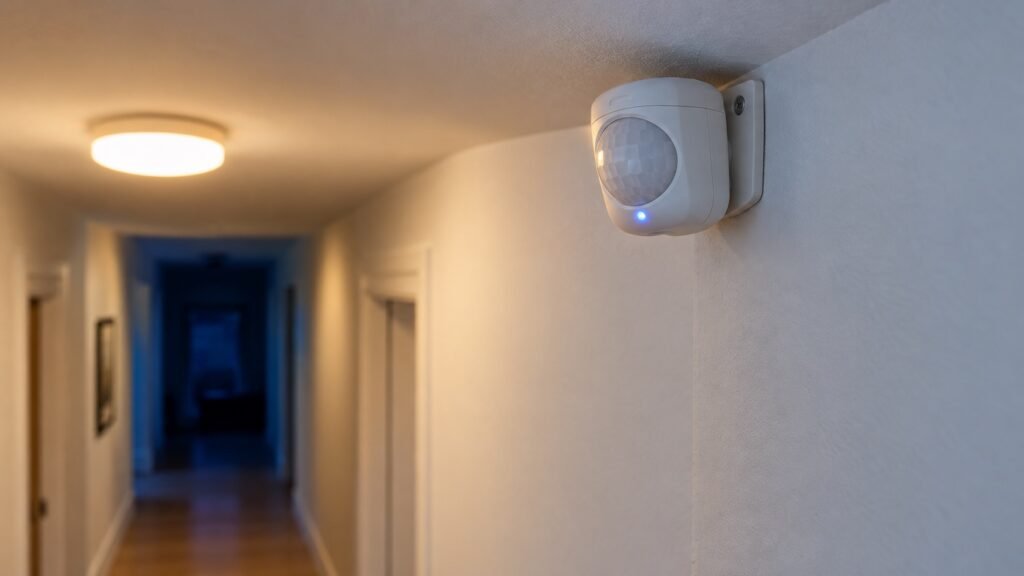
You walk into the laundry room with a full basket on your hip, and the switch is on the wrong side of the door. You set the basket down, flip the light on, pick the basket back up. Twice a week, for years.
Motion sensor automation ideas all come down to one move: let movement do the job of a switch. A sensor can turn lights on when you walk in, run a fan, start music, send an alert, or switch everything off once a room empties. The right idea depends on the room, and on whether anyone in it sits still.
Some links in this post are affiliate links. As an Amazon Associate, SmartHomeLabs earns from qualifying purchases, at no extra cost to you.
Motion Sensor Lights That Need No Smart Home
If all you want is a light that comes on when someone walks in, skip the hub and the app. A light with the sensor built in does the whole job by itself.


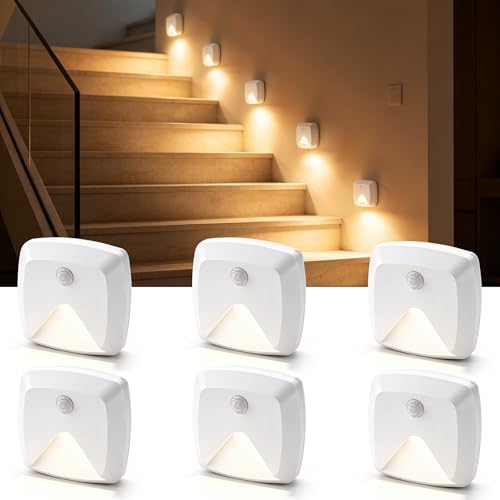

- Rechargeable bar light, 2-pack. Mounts magnetically under a cabinet or inside a closet, with a motion mode and an always-on mode.
- Plug-in night light, 4-pack. Comes on with motion after dark, for a bedroom path, a hallway or a bathroom.
- Stick-on lights, 6-pack. Run on AAA batteries and only wake in the dark, which suits stairs and the floor beside a bed.
- Solar lights, 6-pack. Charge in the sun and light a path or a side yard when someone walks past.
💡 Tip: A built-in light can only switch itself. It cannot follow a schedule or switch on anything else. The moment you want motion to do more than light one spot, you need a smart sensor.
PIR vs mmWave: Which Motion Sensor Do You Need?
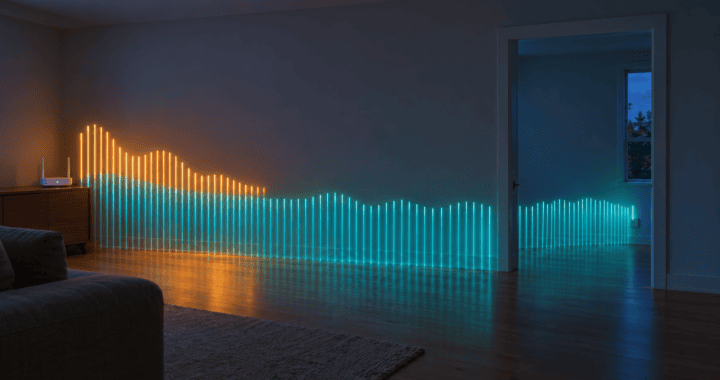
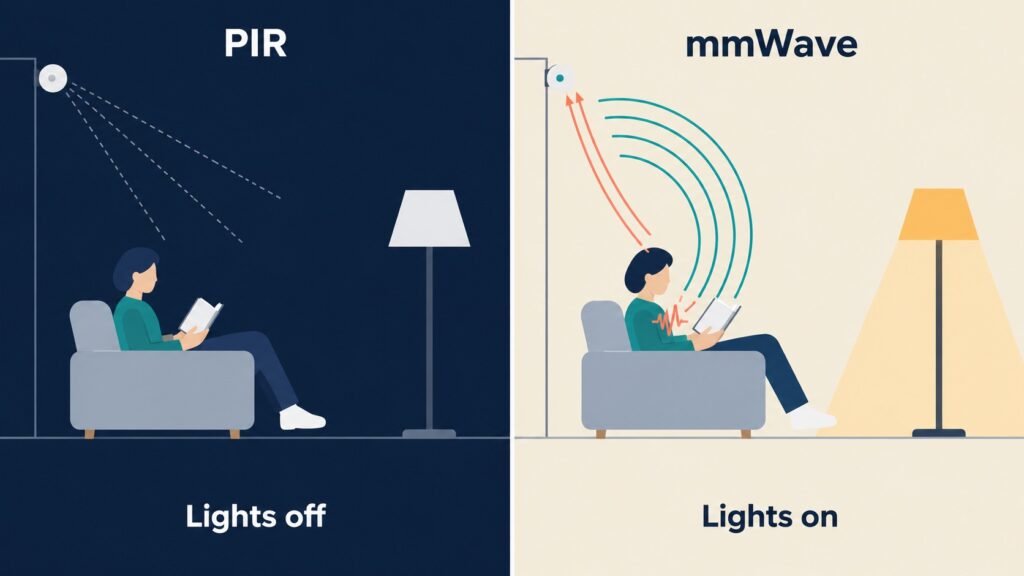
A PIR sensor fits rooms where people keep moving, and an mmWave sensor fits rooms where they sit still. PIR, short for passive infrared, sees body heat moving across its view. Stop moving, and it loses you, even though you never left the room.
An mmWave sensor sends out low-power radar and reads what bounces back, which lets it notice a person who is barely moving. Aqara describes its FP300 as using PIR and 60GHz mmWave radar to detect both motion and stationary presence. That difference explains most complaints: lights that go out mid-chapter are almost always on a PIR sensor.


- Aqara Motion and Light Sensor P2. A PIR sensor for hallways, closets and stairs, where nobody lingers. Its built-in light sensor lets Apple Home and Home Assistant skip the lights in daylight. Alexa and Google Home may not use that light reading in automations.
- Aqara Presence Sensor FP300. PIR and mmWave in one battery-powered unit, for the living room and the office. It also reads light, temperature and humidity.
Both run on Matter over Thread, so they work with Apple Home, Google Home, Alexa and SmartThings, provided you have a Thread border router. Our guide to what Matter is and why every box has the logo covers which hubs and speakers already include one.
Motion Sensor Automation Ideas, Room by Room
Entryway and Hallway
Lights on when you come through the door, off two minutes after the last movement. It is the safest first automation in the house, because people only pass through, so a PIR sensor never loses them.
If your hallway lights are already Philips Hue, the Hue Motion Sensor is the shortest route. It needs a Hue Bridge and is made for Hue lights only, so skip it if your lights are another brand.

💡 Tip: Set the automation to run only when the room is dark. If your app cannot read the sensor’s light level, use a time window from sunset to sunrise instead.
Bedroom
A dim, warm path light from the bed to the door after midnight. In the morning, the same sensor can tell your home you are up and open the blinds.
Aim the sensor at the floor by the door, not at the bed. Pointed at the bed, turning over in your sleep counts as getting up.
Bathroom
A low night light for 3 a.m., and the exhaust fan on when you walk in. The fan is where motion alone falls short.
⚠️ Warning: A PIR sensor cannot detect motion through glass or plastic, so a shower door or curtain can hide you completely. Tie the fan to a humidity reading instead, so it runs until the steam clears rather than until you stop moving.
Living Room
Lights and music that switch off once the room empties. This is the room that exposes PIR: sit still on the couch for ten minutes, and the room decides you left. An mmWave sensor fixes it, because it notices someone reading.
Kitchen, Closet and Laundry Room
Under-cabinet lights for a late-night glass of water, and a closet or laundry light that is on whenever someone is inside. Nobody lingers, so a built-in motion light handles all three, and the laundry basket problem disappears.
Home Office
Monitors and the desk lamp switch off when you leave for the day. You sit still for hours here, so use an mmWave sensor, and send the switching through a smart plug. Our guide to smart plug automation covers what is safe to put on one.
⚠️ Warning: Never let a motion sensor switch a space heater. A heater that turns itself on when the cat walks through an empty room is a fire risk. The CPSC says to plug space heaters directly into a wall outlet, never an extension cord or power strip, and the U.S. Fire Administration says to turn them off when you leave the room.
Garage and Basement Stairs
Stair lights that come on at the first step, so nobody carries a box down in the dark. Stick-on lights work here with no wiring at all.
Outdoors
A porch light that comes on as someone approaches, and a phone alert for motion after you go to bed. Solar lights cover paths. One less obvious idea: a sensor by the trash cans that sends a reminder on collection night only if nobody has walked over there yet.
💡 Tip: Wind, branches and passing animals set off outdoor sensors. Point the sensor down at the path rather than out at the yard, and lower the sensitivity a step.
When the Lights Go Off on You
Most complaints trace back to three settings. Work through them in order:
- Timeout. Lengthen it first. Two minutes suits a hallway. A living room on PIR needs fifteen or more.
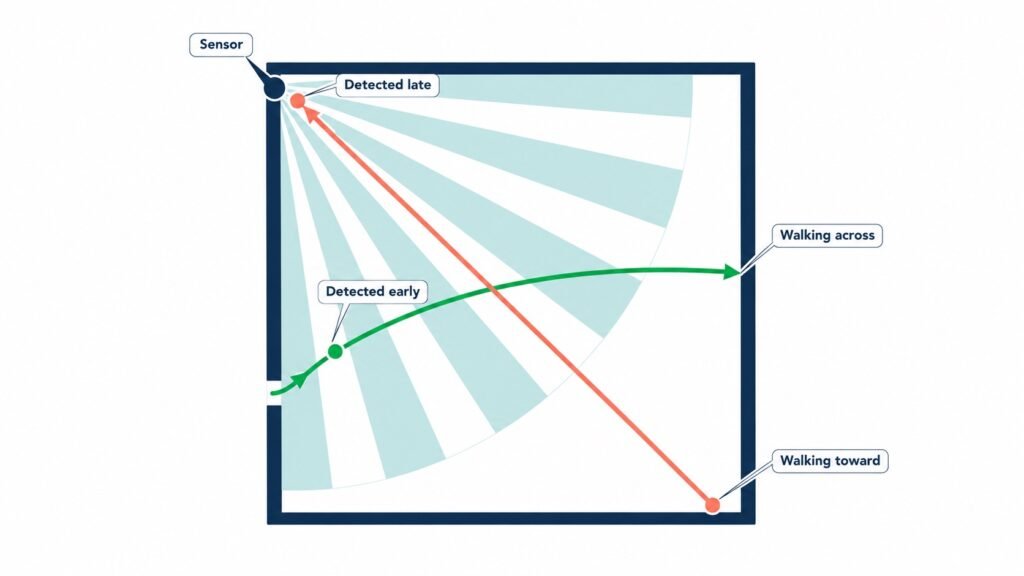
- Placement. Put the sensor where people move across its view, not straight toward it. A corner covers the most floor.
- Sensor type. If lights still go out on someone sitting still, the room needs mmWave.
Frequently Asked Questions
Motion sensor vs occupancy sensor: what is the difference?
At home they mean almost the same thing. In lighting, an occupancy sensor turns lights on with motion and off once the room is empty, while a vacancy sensor only handles the off, so you switch the lights on yourself, per Lutron’s sensor guide.
Do motion sensors work through glass?
PIR sensors do not. Glass blocks the infrared they rely on, so a sensor behind a window cannot see the porch.
Do motion sensors have cameras?
No. A PIR sensor reads heat, and an mmWave sensor reads reflected radio waves. Neither one records an image, so both suit bedrooms and bathrooms.
Start With the Hallway
Add one sensor to one hallway, and live with it for a week before you add another. It is the room where motion sensor automation ideas are hardest to get wrong, and the week teaches you the timeout your household needs. When you are ready to go beyond motion, our guide to what to monitor at home to catch problems early covers leak, temperature and air sensors.
Sources
- Aqara, Presence Multi-Sensor FP300 product page
- Intermatic, Can occupancy and vacancy sensors detect motion through glass?
- Lutron, Occupancy/Vacancy Sensor Design and Application Guide
- U.S. Consumer Product Safety Commission, Keep Warm and Safe This Winter
- U.S. Fire Administration, Heating Fire Safety