Weak WiFi in One Room? A Complete Guide to Every Fix

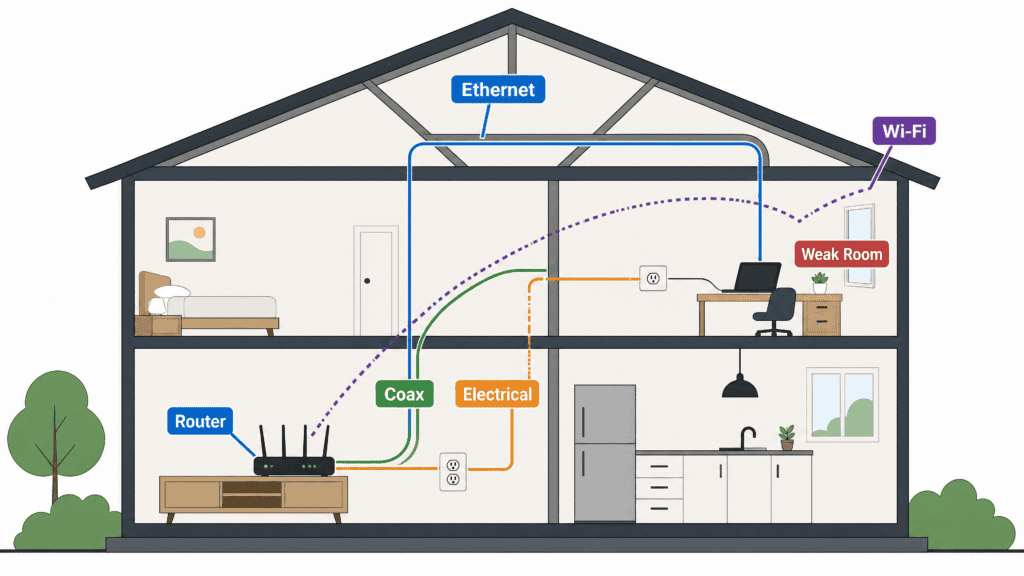
The video call freezes in the upstairs office. Downstairs, same router, same plan, everything streams fine. Weak WiFi in one room is almost never your provider’s fault. It is distance, drywall, and whatever else sits between the router and that room.
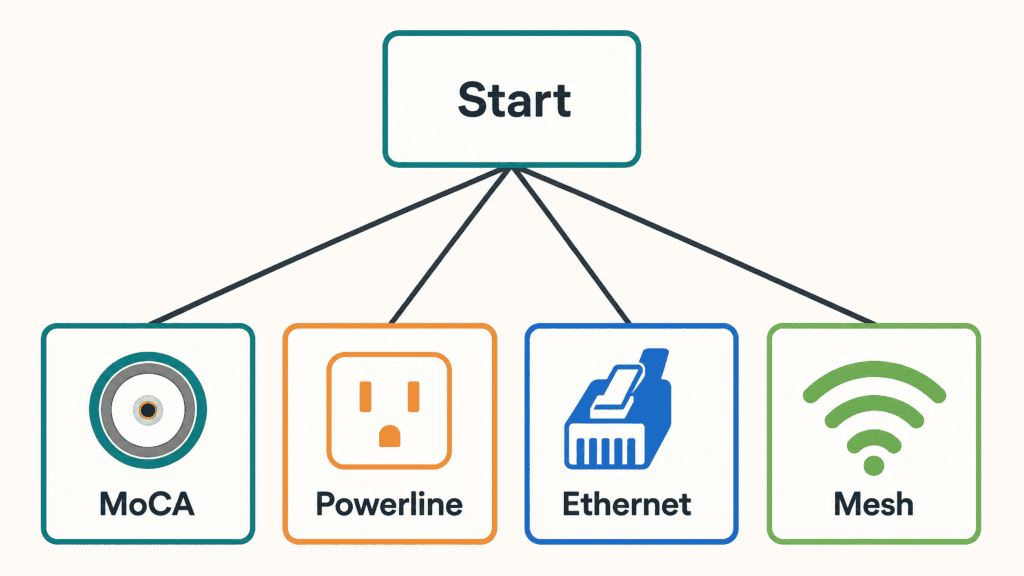
You can fix weak WiFi in one room in under thirty minutes, once you know which method your house supports. No usable wiring in the room? A mesh system like the TP-Link Deco BE63 is the straightforward answer. An unused coax jack? MoCA holds a steadier line for less. This guide covers all seven options and how to tell which one your walls are already set up for.
Some links in this post are affiliate links. As an Amazon Associate, SmartHomeLabs earns from qualifying purchases, at no extra cost to you.
Go Look at the Wall First
Every fix here depends on what is already in the problem room. Walk in and check for three things.
- A coax jack — the round screw-on connector left over from cable TV. That puts MoCA in play.
- An outlet on the same breaker circuit as your router. That puts powerline in play.
- A cable path — attic above, basement below, or a closet backing onto the room. That puts Ethernet and an access point in play.
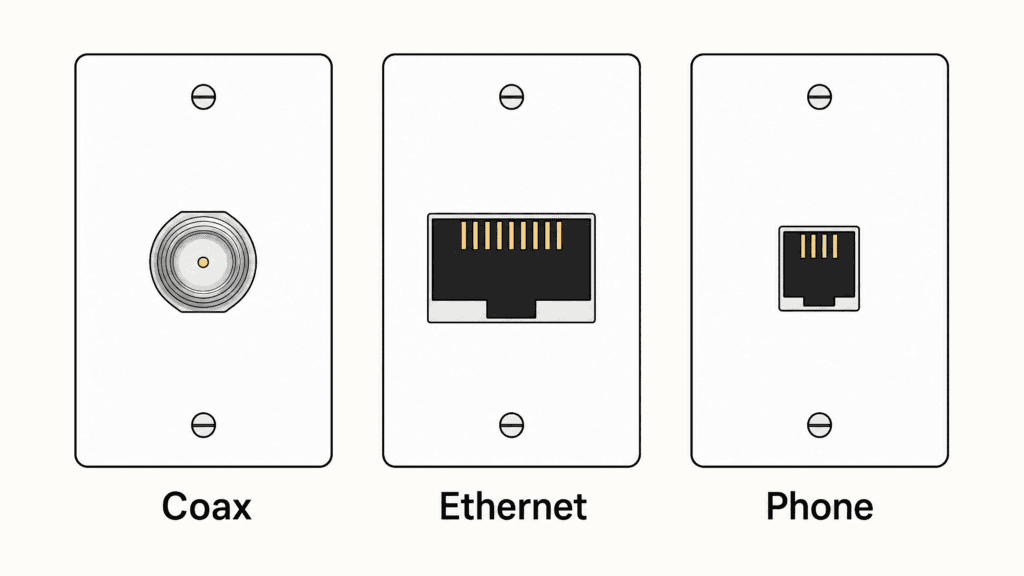
None of those? Then you are choosing between a mesh system and an extender.
💡 Test before you spend: Run a speed test in the dead room, then next to the router. If both are slow, you have a plan problem, not a coverage problem.
Mesh WiFi: The Whole-House Reset
A mesh system replaces your router with two or three nodes that hand devices off under a single network name. No second network to switch to, no dead stretch in the hallway.
The TP-Link Deco BE63 earns the pick on headroom. A three-pack covers up to 7,600 square feet, and every unit carries 2.5G ports, so you can wire the nodes together later if the wireless link between them becomes the bottleneck. Cheaper kits leave that upgrade path out.
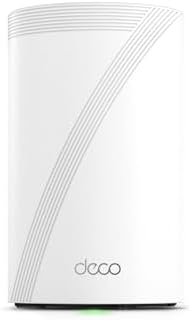
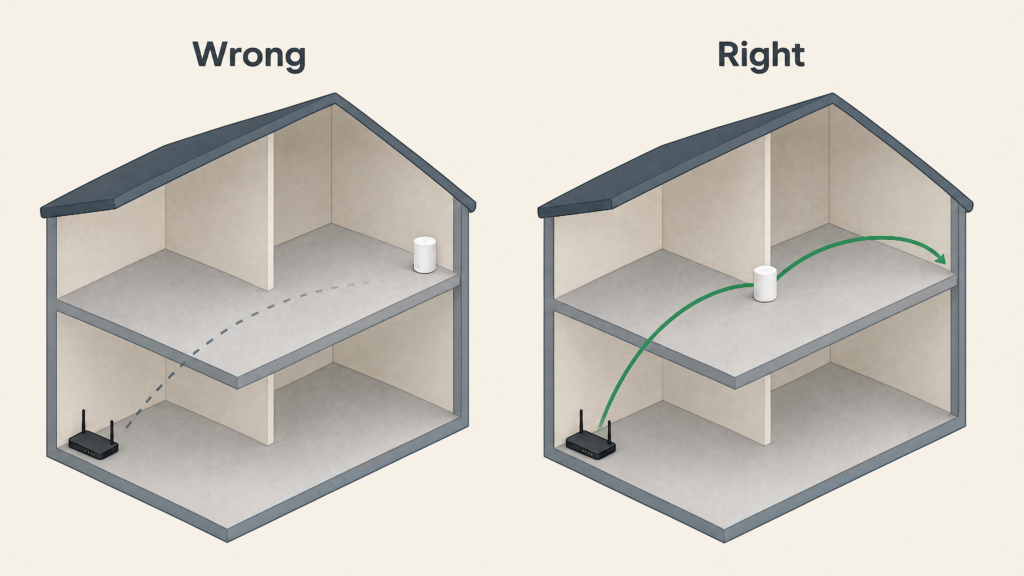
Setup runs through a phone app in about fifteen minutes. The step people get wrong is placement: the second node goes halfway between the router and the dead room, not inside it. Drop it in the dead room and it receives a weak signal, then rebroadcasts it.
⚠️ Wireless backhaul has a ceiling: Nodes lose throughput with every wall between them. In a long or multi-story house, run Ethernet between nodes if you can.
Also worth a look: the ASUS ZenWiFi BT10 for multi-gig plans, or the eero Max 7 if your smart home already leans on eero.
Extenders: The Cheap Fix With a Ceiling
An extender plugs in partway to the dead room, catches your router’s signal, and rebroadcasts it. Cheapest option here, and the one most likely to disappoint if you buy it for the wrong job.
The limit is physics. Most extenders receive and retransmit on the same radio, cutting usable throughput roughly in half. Fine for a guest room where someone checks email. Not fine for a home office on video calls all day.
The TP-Link RE715X handles that trade-off better than most: AX3000 WiFi 6, a gigabit Ethernet port for wiring a desktop in directly, and EasyMesh support so it joins your router’s network instead of spawning a second name.

💡 Placement beats power: An extender belongs where your signal is still around half strength, not where it has already died. Whatever it receives is the best anything behind it will get.
Also worth a look: the TP-Link RE315 on a tight budget, the Netgear Nighthawk EAX80 for more area, or the RE655BE for WiFi 7.
Powerline: Your Outlets as Network Cable
Powerline adapters send your network over the electrical wiring already in the walls. One plugs in near the router, the other in the dead room, and they find each other over the circuit.
The Netgear PLP2000 takes the pick for two Ethernet ports and a passthrough outlet, so the adapter does not cost you the socket it occupies. That matters in a bedroom with two outlets total.

Performance swings harder here than anywhere else on this list. Same circuit and modern wiring, it is excellent. Across a split panel in a 1960s house, it can land barely ahead of the WiFi you were escaping. Buy where you can return it.
⚠️ Never use a surge protector: Plug adapters straight into the wall. Surge strips filter the exact frequencies they rely on and will gut your speeds.
Also worth a look: the TP-Link TL-PA9020P for dual gigabit ports, or the Devolo Magic 2 WiFi 6 if you want the far-end adapter broadcasting WiFi too.
MoCA: The Coax Nobody Uses Anymore
If the room has a coax jack sitting unused since the last cable subscription, MoCA turns it into a wired link. Coax is shielded, which is why it holds steadier than powerline and comes closest to new Ethernet without opening a wall.
The ScreenBeam Bonded MoCA 2.5 kit gets the pick on track record. It has been the reference model for years, moves up to 2.5 Gbps, and keeps latency low enough that gaming over it is unremarkable. MoCA 2.5 is the standard to buy; 3.0 is announced but not on shelves.

Setup is two adapters and a few cables. Where people get stuck is the coax around them: every splitter between the two jacks has to pass MoCA frequencies, and the old 5-1000 MHz splitters common in older houses do not. If the adapters refuse to link, a splitter is usually why.
⚠️ Install the PoE filter: A point-of-entry filter screws onto the coax where the line enters the house. It keeps your signal off the street and your neighbors’ off your wiring. Most kits include one.
Also worth a look: the goCoax MA2500D sustains roughly 2,100 to 2,300 Mbps for less, and the Actiontec ECB6200S02 is fine if MoCA 2.0 already outruns your plan.
Access Point: When You Can Run One Cable
This is the best-performing wireless option here, and it is not close. An access point takes a wired feed and spends its whole radio budget broadcasting, instead of splitting it between listening and repeating.
The TP-Link Omada EAP670 wins on accessibility: it runs standalone through the Omada app with no controller hardware, offers a 2.5G uplink and AX5400 speeds, and ships with a DC adapter, so no PoE switch is required on day one.

It mounts to a ceiling or wall and needs one Ethernet run back to the router. That run is the entire project. If a previous owner left a wired jack in the room, this becomes a twenty-minute job and beats everything else here.
💡 Match the network name: Give the access point the same SSID and password as your router. Devices roam onto it automatically instead of making you switch by hand.
Also worth a look: Ubiquiti’s UniFi U6 Pro or U7 Pro for the UniFi ecosystem, or the Omada EAP770 for WiFi 7.
Running New Ethernet: The Permanent Answer
Nothing beats a cable. Run Cat6 to the room and you get full speed with no interference, no rebroadcast penalty, and no ceiling waiting when the next WiFi standard lands.
Doing it yourself comes down to access, not skill. A single-story house with an accessible attic is a weekend job with a drill and a fish tape. A finished two-story with no attic and no basement is where you call a low-voltage installer.
💡 Pull two while you are up there: The labor is the cost, not the cable. A second line adds almost nothing and saves repeating the job later.
5G Hotspot: The Detached-Space Escape Hatch
A cellular hotspot does not extend your home network; it gives that space a separate one. Wrong answer for a bedroom, occasionally the only answer for a detached garage or backyard office where nothing you own reaches. It comes with a monthly bill, and smart home gear on it will not see the rest of your house. Treat it as a backup line, not a fix.
Every Way to Fix Weak WiFi, Compared
| Method | Speed | Setup | Best For |
|---|---|---|---|
| Mesh WiFi | High | Easy | Whole-home coverage, several weak spots |
| Extender | Low-Medium | Very easy | Light use in one room |
| Powerline | Medium-High | Easy | No coax, outlet on the same circuit |
| MoCA | High | Easy-Medium | An unused coax jack in the room |
| Access Point | Highest | Medium | You can run one Ethernet cable |
| New Ethernet | Highest | Hard | A permanent home office or media room |
| 5G Hotspot | Varies | Very easy | Detached spaces, backup only |
Pick by House, Not by Product
Same complaint, four different right answers:
- 1970s ranch, no coax, router at the far end: powerline if the room shares a circuit, mesh if it does not.
- Two-story with old cable jacks in every bedroom: MoCA. The wiring is already paid for.
- Apartment, cannot drill, one dead room: an extender for light use, mesh if you work from that room.
- Detached garage or backyard office: a buried Ethernet run if you are committed, a 5G hotspot if you are not.
FAQ
Do extenders really cut speed in half? Usually. Receiving and rebroadcasting on the same radio costs roughly half the usable throughput. Wired-backhaul mesh and dedicated access points avoid it entirely.
Can I mix mesh and powerline? Yes, and it is one of the better combinations. Some mesh systems accept powerline or Ethernet as backhaul between nodes, which fixes the bottleneck that makes mesh disappointing in long houses.
Is new Ethernet worth it for one room? For a permanent home office or media room, yes. It is the only option with no ceiling. For a guest room used twice a year, an extender will do.
MoCA or powerline if the room has both? Start with MoCA. Coax is shielded and behaves consistently; powerline depends on wiring you cannot see or change.
The Bottom Line
There is no universal winner here. The best way to fix weak WiFi in one room is whichever method your house is already wired for. Check the room for coax, check the outlet against your breaker panel, check whether a cable could reach. The decision usually makes itself.