
8 Small Upgrades That Make Working From Home Way Better

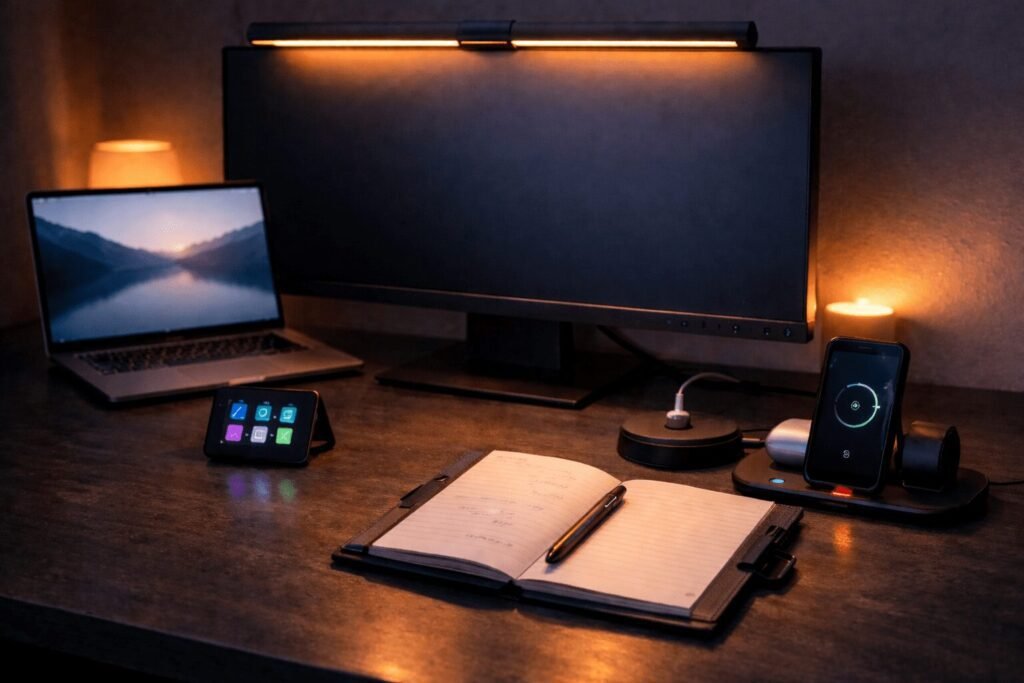
The best work-from-home upgrades are not the pricey ones. They are the small, smart swaps that make your desk feel deliberate, your focus sharper, and your day a little less chaotic. Cable clutter, bad lighting, a graveyard of forgotten shortcuts: these eight picks quietly fix the things that wear on you all day.
Some links in this post are affiliate links. As an Amazon Associate, SmartHomeLabs earns from qualifying purchases, at no extra cost to you.
Desk Lighting, Finally Right

The Xiaomi Mi Monitor Light Bar clips magnetically to the top of your monitor and lights the whole desk with zero screen glare. Regular lamps either sit in the way or bounce light straight off your screen; this one aims down only, so your eyes stop fighting the reflection that builds over a long day.
A wireless remote sets brightness and warmth without breaking your flow, and it draws power over USB-C from the monitor, so no extra cable runs to the wall.
Where It Makes a Difference
- Flicker-free, anti-glare, so your eyes feel okay at the end of a long session instead of fried.
- Sits on the monitor, taking zero desk space and keeping your workspace clear.
- Wireless remote, dialing warm or cool light without reaching across the desk.
Worth mentioning: it powers from a USB-C port on your monitor, so if yours has no USB passthrough you will need a small adapter. Easy to solve, just worth checking first.
One Port Becomes Four

Most laptops ship with one or two USB ports, so every new device means unplugging something. The Anker 4-Port hub ends that, turning one port into four, all running at once up to 5Gbps.
Your mouse, keyboard, drive, and webcam all stay plugged in, so the desk is always ready. At under $10 it is easily the best value upgrade on this list.
Why It Is the First Upgrade
- Four devices at once, so the “which USB do I unplug” game just stops.
- 5Gbps transfers, moving big files in seconds so backups stop being a reason to walk away.
- Compact build, tucking behind a monitor without adding clutter.
Keep in mind: this is data only, not charging, so to charge a phone from it you would want a powered hub instead. It is also light, so it can slide around without a cable anchoring it.
Your Paper Trail, Gone

Identity theft usually starts with paper, and most of us have a drawer of old statements and expired cards sitting around too long. The Bonsaii cross-cut shredder eats paper, cards, staples, and junk mail in one pass with no sorting, so clearing the pile takes minutes.
Its P-4 cut turns everything into tiny 5x20mm bits, a real step up from strip-cut models that leave readable columns a patient thief could rebuild.
The Case for One at Home
- P-4 cross-cut, tiny particles that genuinely destroy documents rather than just inconvenience.
- Five minutes of run time, clearing a full pile in one go without cooling down between batches.
- Compact, living under a desk so it stays handy and actually gets used.
One trade-off: the 5.5-gallon bin fills faster than you expect during a big purge, so plan to empty it a couple of times if you are clearing years of paperwork. For weekly use it is plenty.
Three Devices, One Spot
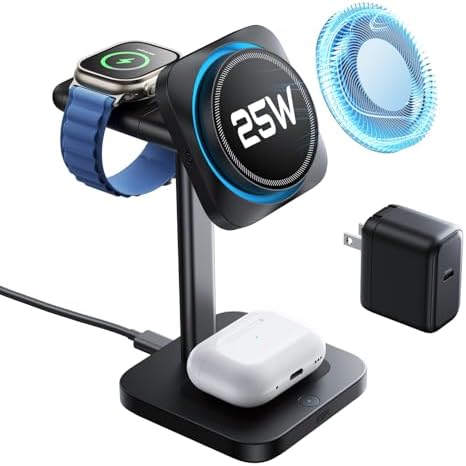
The ESR 3-in-1 MagSafe stand is Qi2.2 certified, so it charges an iPhone 17 at 25W, faster than any earlier MagSafe. Drop your iPhone, AirPods, and Apple Watch on together and all three charge at full speed with no cable juggling.
Its built-in cooling actively pulls heat away while charging, which matters because heat is a big driver of long-term battery wear. The Watch module also detaches and charges over USB-C on its own for travel.
Why Apple Users Want This
- One stand, three cables gone, keeping the desk and nightstand clear with no cable thoughts.
- Active cooling, protecting battery health over time, not just charging fast.
- Charged every morning, removing one small daily friction before work even starts.
Fair warning: this is Apple-only, and full 25W needs iOS 26 or later on the iPhone 17 series, so older phones charge at standard MagSafe speed. Not the pick for a mixed Android and Apple home.
Notes You Can Finally Search
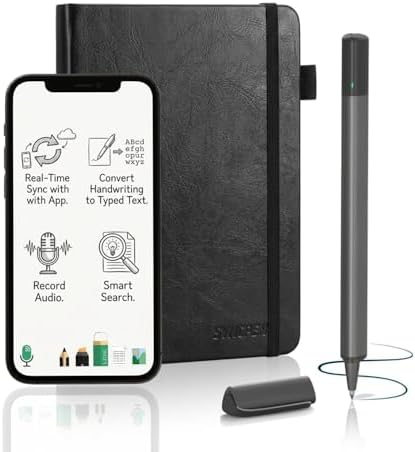
This SyncPen smart pen and notebook turns your handwriting into searchable, editable text in real time across 71 languages, so everything you write on paper lands on your phone or laptop automatically.
The app backs it all up with unlimited encrypted cloud storage and no subscription, a real edge over platforms that gate features behind monthly fees. It also records audio in sync with your notes, so you can tap any line later and hear exactly what was said as you wrote it.
What It Changes About Notes
- Handwriting to typed text, across 71 languages, straight into documents and emails with no retyping.
- Works offline, syncing when you reconnect so a plane or cafe leaves no gaps.
- Keyword search, finding any note instantly instead of flipping back through pages.
Good to know: the notebook pages are proprietary, so you order refills rather than grab them locally. Recognition is very good for most people but can struggle with especially messy handwriting.
One Strip, Zero Clutter

The Gitryin 12-in-1 fixes desk cable chaos at the source, with four retractable 40W USB-C cables built into the power strip. When you are done, the cables pull back flush so nothing dangles across the desk.
It fast-charges at 40W a port, roughly 50 percent in 20 minutes, and its modular design means a single dead port is replaceable instead of binning the whole unit. Built-in surge protection covers everything plugged in during a storm.
How It Cleans Up the Desk
- Retractable cables, disappearing into the unit so the desk actually stays clean.
- Surge protection, covering your laptop and monitor with no separate surge bar.
- Modular ports, swap a faulty one instead of replacing the whole strip.
One thing to know: all eight ports are USB-C, so older USB-A gear needs an adapter. The retractable cables are also a fixed length, which limits placement a little.
A Volume Knob for Your Desk
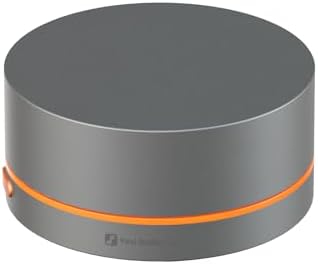
The Fosi Audio VOL20 is a physical volume knob that controls any Bluetooth or USB audio with one smooth turn, so you stop clicking through menus every time a notification blares or a track starts too quiet.
The machined zinc-alloy body feels genuinely premium for the price, and a single button handles play, pause, skip, and mute without breaking your focus. The subtle RGB glow adds a touch of accent without becoming a distraction.
Why It Belongs on a WFH Desk
- One turn for volume, from right where your hands are, no menu hunting or reaching behind a monitor.
- Skip, pause, mute on one button, staying in the zone during deep work or a call.
- Machined metal build, looking and feeling like real audio gear, not an afterthought.
Before you buy: Bluetooth pairs to one device at a time, so hopping between laptop and phone means a manual re-pair. The RGB is four presets with no app control, which may disappoint if you want deep customization.
Your Shortcut to Doing More

The Elgato Stream Deck Mini puts six customizable LCD keys on your desk that launch apps, run macros, mute a Zoom call, or fire off a whole multi-step sequence with one tap.
Each key shows its own icon, so there is nothing to memorize, and the drag-and-drop setup takes minutes. If you live in Zoom, Google Workspace, or Notion all day, the saved seconds pile up fast across a week, and the six-key size stays out of the way.
What It Removes From Your Day
- Repeated actions in one press, from muting a mic to launching a deck, fewer fumbled shortcuts.
- Labeled LCD keys, showing exactly what each does so there are no misfires mid-meeting.
- Multi-step sequences in a tap, turning minute-long routines into seconds.
Worth knowing: six keys covers most people, but heavy multitaskers may outgrow it and eye the full-size Stream Deck. It also needs the Elgato software running in the background.