How to Pick the Right Robot Vacuum and Mop Combo

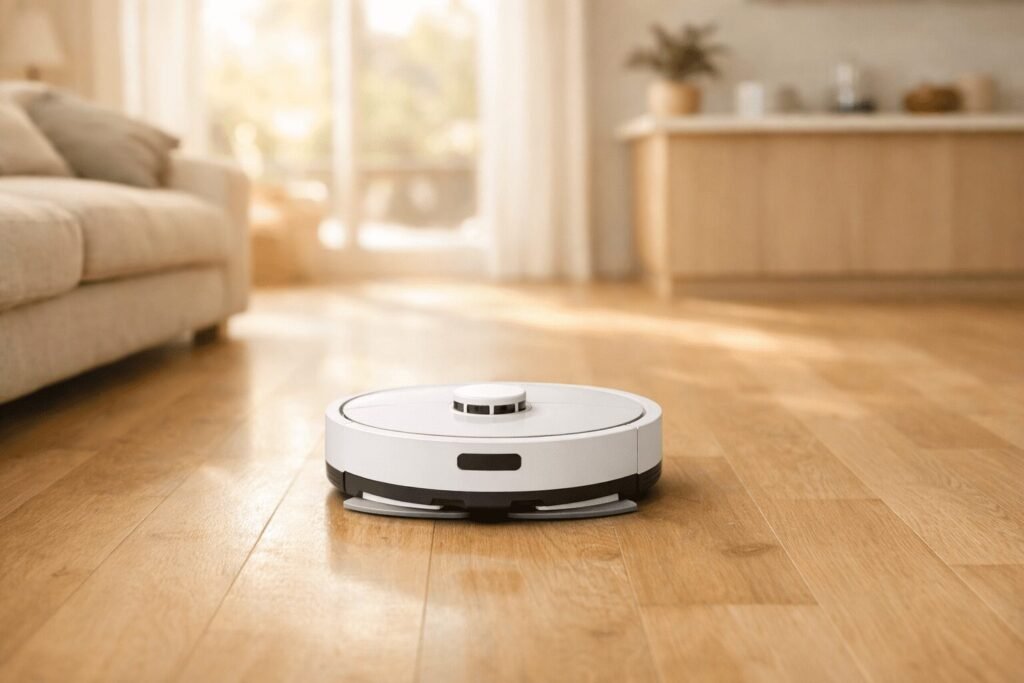
You’ve probably watched a robot vacuum skate around your floor, leaving a damp smear behind and calling it “mopping.” It’s frustrating because a combo machine should mean one less chore, not a half-done job you have to redo yourself. This guide breaks down exactly what separates a robot vacuum and mop combo that genuinely cleans from one that just performs the illusion of it, and lands on five picks from budget to premium that are actually worth your money in 2026.
Vacuum First, Mop Second
The biggest mistake people make is treating mopping as the main event. In almost every combo robot on the market, vacuuming is the primary strength and mopping is a supporting feature, not the other way around. If your floors are mostly carpet with a kitchen and bathroom hard surface mixed in, the mop function is a bonus. If you have 80% hard floors and want them actually clean, the mop system becomes the most important spec to evaluate.
Some links in this post are affiliate links. As an Amazon Associate, SmartHomeLabs earns from qualifying purchases, at no extra cost to you. We only recommend products we’d genuinely use in our own home.
Budget combos use a passive damp pad attached to the underside of the robot. It drags across your floor with whatever moisture you pre-loaded into a small reservoir. It picks up light dust and leaves surfaces looking freshened, but it won’t tackle dried spills, sticky residue, or anything that needs friction. Mid-range and premium models use rotating or oscillating mop heads that actively scrub. The difference in a real-world clean is significant.
💡 Quick rule of thumb: If the product listing says “2-in-1 vacuum and mop” without specifying a rotating or sonic mop head, you’re looking at a passive pad. Great for maintenance mopping; not for replacing your actual mop.
Suction Power: What Numbers Actually Mean
Suction is measured in Pascals (Pa), and the spec sheet arms race has gotten intense. You’ll see everything from 2,500 Pa on budget models to 30,000 Pa on flagship machines. For hard floors and low-pile rugs, anything above 4,000 Pa handles everyday dust, crumbs, and pet dander. The honest truth: more Pa doesn’t mean a noticeably cleaner floor in daily use.
Where higher suction matters is on thick-pile carpet and for deep-embedded pet hair. If you have plush carpets or multiple shedding animals, 15,000 Pa and above starts to show a real difference. Ultra-high numbers (25,000–30,000 Pa) come with trade-offs: louder operation, faster battery drain, and a higher price point. Those specs are usually bundled with other premium features anyway.
| Suction Range | Best For | Typical Price Tier |
|---|---|---|
| 2,500–6,000 Pa | Hard floors, light rugs, low-shed homes | Budget ($150–$300 USD) |
| 6,000–15,000 Pa | Mixed flooring, occasional pet hair | Mid-range ($300–$600 USD) |
| 15,000–22,000 Pa | Medium-pile carpet, regular pet shedding | Upper mid ($600–$900 USD) |
| 22,000 Pa+ | Thick carpet, heavy pet households | Premium ($900–$1,200+ USD) |
Self-Cleaning: Worth the Upgrade?
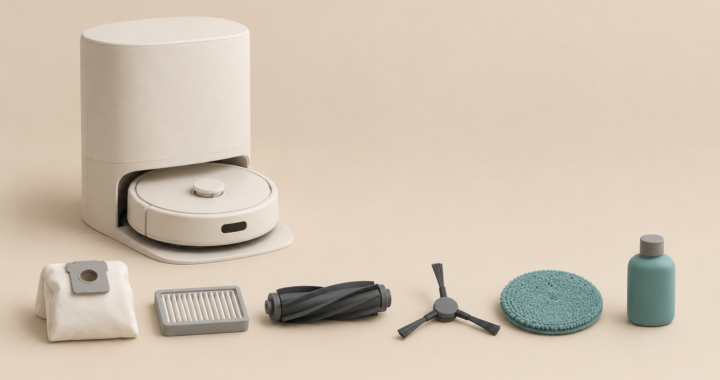
Self-cleaning base stations turned robot vacuums from “kind of helpful” into genuinely hands-free. At the basic level, a self-emptying station pulls debris from the robot’s dustbin into a larger bag or bin. Instead of emptying every few days, you do it every 30–60 days. That alone is worth the premium for most people.
Mop Pad Cleaning and Drying
The next tier adds self-cleaning mop pads using hot water and a scrubbing mechanism inside the dock. This is the feature that justifies premium pricing if mopping quality matters to you. Without it, your mop pad collects dirt on every pass and redistributes it by the end of a cycle. With a self-cleaning dock, the pad rinses continuously, so it always applies clean water.
Top-of-range stations go further: auto-refilling the clean water tank, draining dirty water automatically, and drying mop pads with warm air to prevent mildew. Some hot-wash rollers at 167–176°F to sanitize them. The drying function is especially useful. It eliminates the sour mop smell that plagues cheaper combo machines.
⚠️ Hidden cost alert: Self-emptying bags are a recurring consumable. Expect $15–$25 USD per pack of 3–4 bags, replaced every 1–3 months depending on use. Factor this into your total cost of ownership before buying.
Navigation: LiDAR vs. Camera
How a robot finds its way around your home affects everything — cleaning coverage, obstacle avoidance, room-by-room scheduling, and how often it gets stuck. There are two main systems worth understanding.
LiDAR (Laser Mapping)
LiDAR uses a spinning laser on top of the robot to build a precise map of your home. It’s reliable in the dark, consistent across multiple runs, and produces clean floor plans you can divide into zones for custom scheduling. The trade-off is the raised laser tower. Anything under about 3.9 inches (10 cm) of clearance is a problem for most LiDAR robots.
Camera-Based Navigation
Camera navigation (sometimes called vSLAM) uses onboard cameras to identify the environment visually. Premium models pair this with AI object recognition so the robot sees your dog’s water bowl, a stray sock, or a charging cable and routes around it instead of ramming it or stopping. Camera systems produce a lower-profile robot with no laser tower. That means better coverage under sofas and low furniture. Performance in low light varies by model, so this is worth checking in reviews if you run schedules overnight.
| Feature | LiDAR | Camera-Based |
|---|---|---|
| Dark room performance | Excellent | Varies (model-dependent) |
| Object recognition | Basic | Advanced (AI models) |
| Robot height profile | Taller (laser tower) | Lower (fits under more furniture) |
| Map accuracy | Very high | High |
| Typical price tier | Mid to premium | Mid to premium |
Carpet Protection You Actually Need
If you have rugs or carpeted rooms mixed with hard floors, carpet protection is the spec that will save you the most frustration. A robot mopping with a wet pad onto your area rug, even briefly, is enough to leave a damp patch that attracts more dirt and can eventually cause odor or damage.
Look for automatic mop lift: the robot physically raises its mop pad when it detects carpet via a sensor, typically around 0.4–0.5 inches (10–13 mm). This is now standard on most mid-range and premium combo models. Some brands go further with a “carpet boost” mode that simultaneously increases suction when carpet is detected, giving you better vacuum performance and wet floor protection in the same pass.
💡 Thick rug owners: If your rugs have a pile height over 0.8 inches (20 mm), some robots will register the rug itself as an obstacle and avoid it entirely rather than vacuuming it. Check the manufacturer’s maximum rug height spec before buying if this matters to your home.
Setup, Apps, and Privacy
Every robot vacuum and mop combo in this guide requires a smartphone app and a 2.4 GHz Wi-Fi connection to unlock full functionality. Scheduling, zone cleaning, no-go zones, and cleaning history all live in the app. Most brands work with both iOS and Android, but a small number of budget options have Android-only apps or feature-limited iOS versions, worth checking on the product page before you purchase.
On privacy: these robots build a map of your home. Reputable brands — iRobot, Dreame, Roborock, Narwal, Ecovacs, eufy — store map data on their servers. All of them offer an option to delete it. If data privacy is a concern, look for brands that explicitly offer local-only map storage or work with Matter/local API integrations.
⚠️ 5 GHz networks: Most combo robots only connect on 2.4 GHz Wi-Fi, not 5 GHz. If your router broadcasts both on the same SSID, you may need to temporarily split them during initial setup. This is one of the most common setup issues and has nothing to do with the robot itself.
Top Picks for 2026
Five picks spanning ~$250 to ~$1,100 USD (~$340 to ~$1,500 CAD), covering every household type from first-time buyer to all-in premium with dual pricing noted where relevant.
Best All-Round — Weekend, Reclaimed

Best Mid-Range — Smart Without the Splurge

Frequently Asked Questions
Can a robot vacuum and mop combo replace my regular mop entirely?
For everyday maintenance, yes, if you’re choosing a mid-range or premium model with an active (rotating or scrubbing) mop head and a self-cleaning dock. For deep cleaning after cooking spills, muddy footprints, or anything sticky, you’ll still want to mop manually once in a while. Think of the combo robot as handling 90% of your floor maintenance automatically. Manual mopping becomes a rare event, not a weekly chore.
Do these robots work on all hard floor types — tile, hardwood, laminate?
Yes, all five picks work across tile, sealed hardwood, laminate, and vinyl. The keyword is “sealed”; unsealed hardwood or waxed floors can be damaged by any moisture, including the light dampness from a passive mop pad. If you have unsealed wood floors, use the vacuum-only mode and skip the mopping function entirely, or check the manufacturer’s guidance for your specific floor type.
Do I need to add cleaning solution to the water tank?
Most manufacturers recommend plain water only, especially in self-cleaning dock systems. Cleaning solutions can clog internal tubing or void the warranty. A few brands sell their own compatible detergent pods designed for their tanks. Never use third-party floor cleaners in the water reservoir unless the brand explicitly approves it in their documentation.
Will the robot get confused by dark floors or rugs?
Very dark floors (near-black hardwood or dark tile) can occasionally confuse cliff sensors on older or budget robots, causing them to stop or behave erratically. This has improved significantly on newer models using updated sensor calibration. Dark rugs are generally not an issue for navigation, but if you have a very dark rug on a dark floor, test the robot’s carpet detection on your first run and adjust sensitivity settings in the app if needed.
How loud are these robots, and can I run them while I’m home?
At standard suction, most combo robots run at 60–68 dB, roughly the volume of a normal conversation. That’s noticeable but not disruptive for most people working from home or watching TV. Max suction modes on high-performance models can hit 72–75 dB, which is closer to a louder vacuum cleaner. All five picks in this guide have a “quiet” or “eco” mode if you want to run a cycle during calls or while a baby is sleeping.
Is there an ongoing subscription required to use the app?
None of the five picks in this guide requires a paid subscription for core functionality; scheduling, zone cleaning, and map management are all included free. Some brands offer optional premium tiers with extended warranty coverage or advanced AI features, but these are genuinely optional. That said, app policies can change after launch, so it’s worth checking current user reviews on the relevant app store for the model you’re considering.
You came here trying to figure out whether a robot vacuum and mop combo is actually worth it, and the honest answer is yes, if you pick the right tier for your home. Match the machine to your floors, your pets, and how hands-off you actually want to be, and you’ll wonder how you ever managed without one.
Keep Reading