What Is the Difference Between Cat5e, Cat6, Cat6a and Cat8?

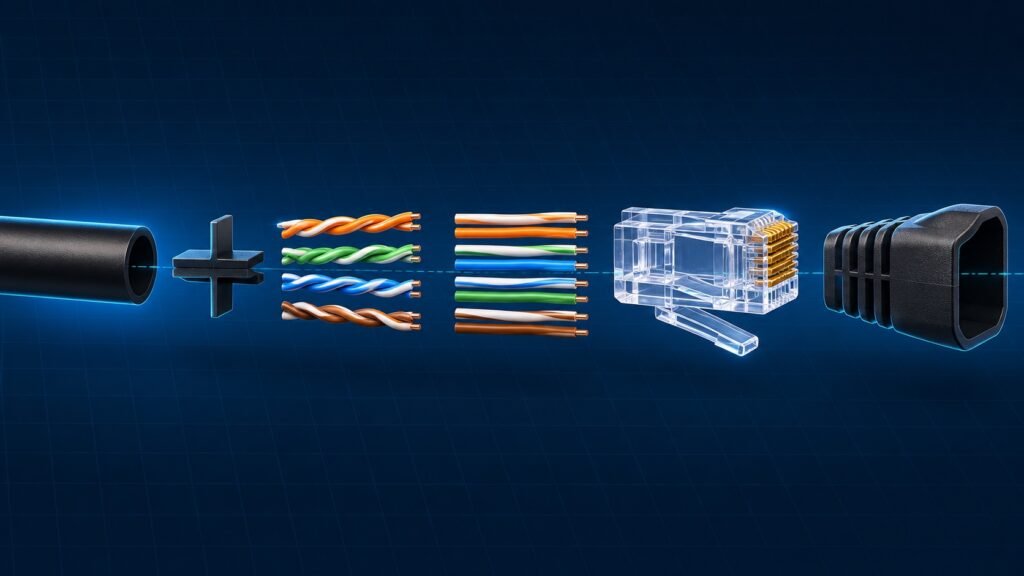
Your new router has a port labeled 2.5G. The Ethernet cable in the drawer says CAT 5e in print so small you need a flashlight to read it, and the one on the store shelf says Cat8. Same plug, same look, two very different cable types.
Ethernet cable types are graded by category, and the number tells you how fast a cable is rated to carry data and how far. For most homes, Cat6 is the right default. Cat5e still handles gigabit internet, Cat6a is for 10 gig over long runs, and Cat8 is built for data centers, not living rooms.
Below: what each category is for, where it stops, the other labels on the jacket, and how to tell whether the cable is the slow part at all.
Some links in this post are affiliate links. As an Amazon Associate, SmartHomeLabs earns from qualifying purchases, at no extra cost to you.
What the Category Number Means
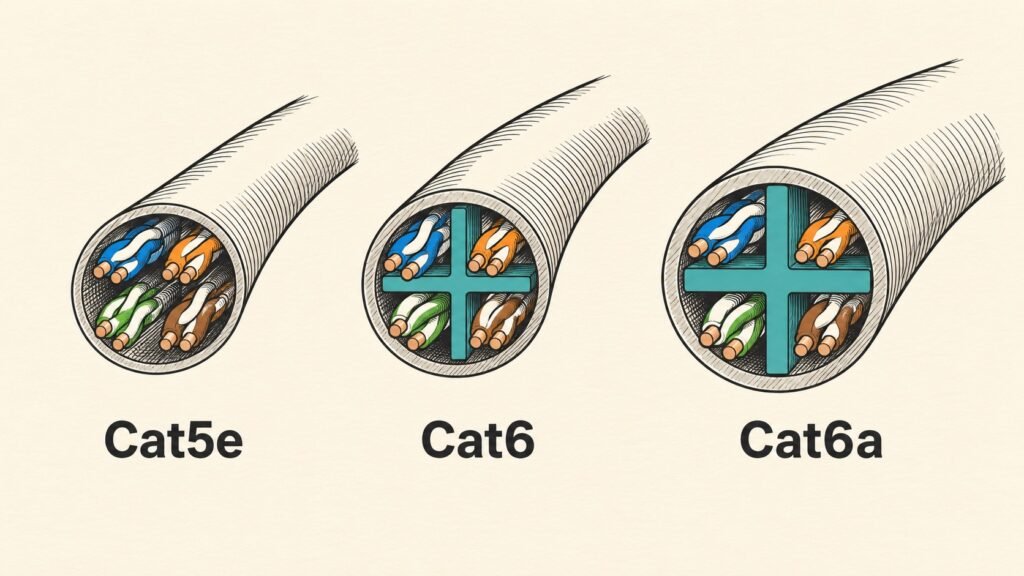
A category is a performance standard for twisted-pair copper cable. Each is rated to a signal frequency, and a higher frequency leaves room for more data: 100 MHz for Cat5e, 250 for Cat6, 500 for Cat6a.
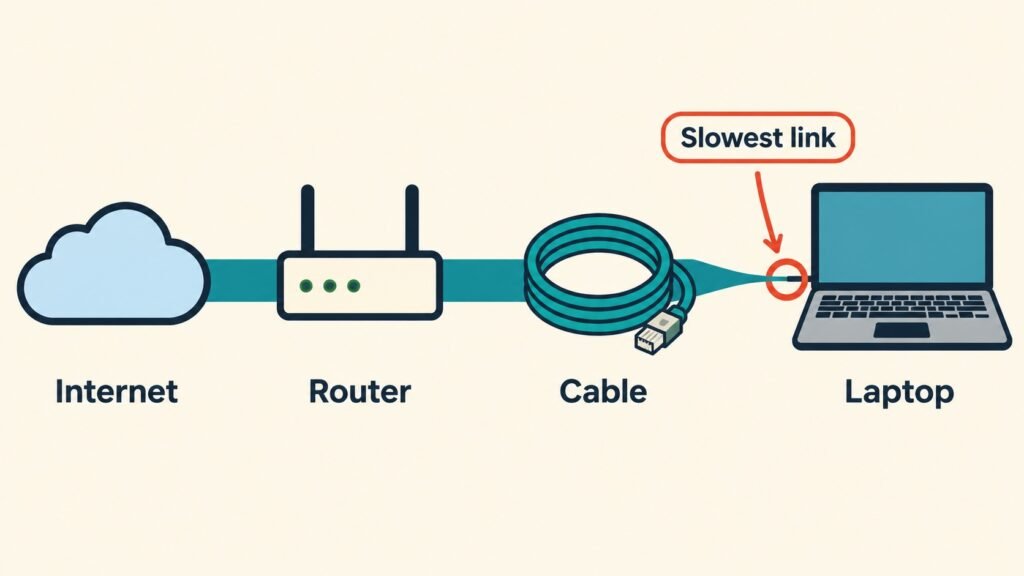
Every category uses the same RJ45 plug and fits the same ports. The connection settles at the speed of its slowest part: the port at each end, the cable between them, or the internet plan feeding the house.
Cat5e, Cat6 and Cat6a share one limit: a single run tops out at 100 meters, or 328 feet. Past that, the link slows down or drops.
Ethernet Cable Types, One by One
| Category | Rated speed | Distance at that speed | Where it fits |
|---|---|---|---|
| Cat5e | 1 Gbps, often 2.5 Gbps | 100 m (328 ft) | Existing wiring, gigabit internet |
| Cat6 | 1 Gbps, 10 Gbps on short runs | 100 m at 1 Gbps, about 55 m (180 ft) at 10 Gbps | The default for new cables |
| Cat6a | 10 Gbps | 100 m (328 ft) | A NAS, multi-gig gear, long runs |
| Cat7 | Not a TIA category | Varies | Skip it |
| Cat8 | 25 to 40 Gbps | 30 m (98 ft) | Server racks |
Cat5e: Still Fine for Gigabit
If your walls already carry Ethernet, there is a good chance it is Cat5e. It handles gigabit at the full 100 meters. The IEEE 802.3bz standard that added 2.5 and 5 gig Ethernet was written with existing Cat5e in mind, so 2.5G often runs at full speed over it.
💡 Tip: Do not rip out Cat5e before checking it. Plug a 2.5G device in at each end. If the link reports 2.5 Gbps, the wiring is fine.
Cat6: The Default
Cat6 costs about the same as Cat5e now, so it is the one to buy when you need a new cable. It runs gigabit at 100 meters and 10 gig up to about 55 meters.
Cat6a: For 10 Gig Over Distance
Cat6a carries 10 gig over the full 100 meters. It matters for a NAS with a 10 gig port, a multi-gig plan, or a long run to a detached office. One trade-off: it is thicker and stiffer, so it fights tight corners.
Cat7: The One to Skip
Cat7 is not a category recognized by the TIA, the body that writes the US cabling standards. It was designed for GG45 and TERA connectors, not the RJ45 plug in your router. Belden and Panduit, both cable manufacturers, advise against it for that reason. A cable sold as Cat7 with RJ45 plugs is a Cat6a cable at best, at a higher price.
Cat8: Built for Server Racks
Cat8 carries 25 or 40 gig, but only up to 30 meters, per CommScope. It connects switches to servers in a data center. No home device has a port that can use that speed, so at home it runs like Cat6.


The Cable Matters Cat6 is the everyday cable for a router, a console or a TV, and its 10 gig rating holds at 10 feet.
The Monoprice SlimRun Cat6A comes as a pack of ten, for a desk, a media cabinet or a network shelf where 10 gig gear sits close together.
The flat Cat6 is 25 feet long and lies flat enough to run under a rug or along a baseboard without a bump.
The Other Labels on the Jacket
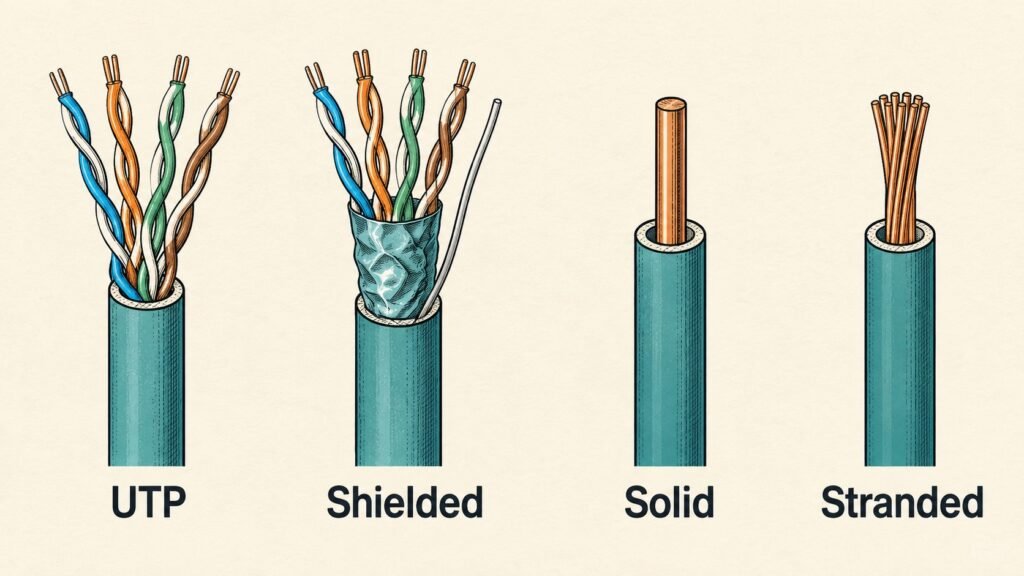
Unshielded or shielded. UTP, unshielded, is what almost every home needs. Shielded cable helps next to power lines or motors, but only when the shield is grounded at both ends.
Solid or stranded. Solid wire belongs inside walls, punched into wall jacks. Stranded wire bends better and is made for patch cables.
⚠️ Warning: Avoid any cable listed as CCA, or copper-clad aluminum. The wire is mostly aluminum, which does not meet Cat5e or Cat6 standards, loses more signal, and runs hotter when a camera draws power through it. Look for “pure copper” or “bare copper” on the listing.
In-wall ratings. CM is for patch cables in the open, CMR (riser) for runs inside walls and between floors, and CMP (plenum) for spaces that carry heating and cooling air. Check your local building code first.
Flat and slim. They use thinner wire, so keep them to patch lengths.
To make cables to the exact length, two tools do the job.


The crimp kit uses pass-through plugs, so you can see the wire order is right before you crimp.
The tester checks all eight wires end to end, which catches a bad crimp before the cable goes into a wall.
Will a Better Ethernet Cable Make My Internet Faster?
Usually not. A connection runs at the speed of its slowest part, and on most home networks that part is the port or the internet plan, not the cable.
Check the port first. On Windows, open Settings, then Network and internet, then Ethernet, and read the link speed. On a Mac, open System Settings, then Network, select the Ethernet connection, and choose Details, then Hardware. A link that reads 1000 Mbps is gigabit, and no cable will push it past that.
If your plan is 1 Gbps or less, any Cat5e or Cat6 cable already carries all of it. If your plan or your NAS has outgrown gigabit, the upgrade is a faster port, not a fancier cable.


The UGREEN adapter adds a 2.5 gig port through USB-C, for a laptop with no Ethernet port or one stuck at gigabit.
The TP-Link switch has five 2.5 gig ports and needs no setup, so one multi-gig router port can feed several fast devices.
When You Do Not Need New Cable at All
Wired connections pay off for devices that stay put and move a lot of data: a desktop, a console, a TV, a NAS or a mesh node.
If running cable is not an option, coax outlets and electrical wiring can both carry a network signal. Our guide to fixing weak WiFi in one room compares those options side by side. If a device simply will not connect, the problem may be the Wi-Fi band rather than the signal, which our 2.4 GHz vs 5 GHz guide explains.
FAQ
Does the Ethernet cable type matter for gaming?
Not once the cable is Cat5e or better. Lag comes from distance to the server, a busy network or Wi-Fi interference. A Cat6 cable from console to router removes the Wi-Fi part, and that is where the gain is.
Is Cat8 worth it for home use?
No. No home device can use its speed, and its rating only holds to 30 meters. Cat6 or Cat6a does the same job for less.
Can I plug a Cat6 cable into a Cat5e port?
Yes. Every category uses the same plug and is backward compatible, and the link runs at the slower side’s speed.
Do I need a crossover cable to connect two devices?
Almost never. Modern ports detect the wiring and adjust by themselves, so a standard cable works between any two devices.
The Bottom Line
Before you buy anything, read the print on the cable jacket you already own. If it says Cat5e or Cat6 and your ports are gigabit, you already have the right Ethernet cable type. When you need a new one, buy Cat6, and leave Cat7 and Cat8 on the shelf.
If you are wiring a network for a home server, our guide to what a NAS is and whether you need one is the next step.
Sources