Best Smart Locks 2026: 5 Picks Worth Your Money

Standing at the door with your arms full, digging for keys, gets old fast. A smart lock ends that small daily struggle. The catch is choice, since prices run from about $110 to $290 and the features blur together. This guide sorts out which unlocking method actually fits your life.
For most homes, the Yale Assure Lock 2 offers the widest compatibility at around $170. Renters who want to keep their current key do better with the August Wi-Fi lock near $110. If you are also watching the front door, our doorbell camera buying guide pairs well with any lock here.
Some links in this post are affiliate links. As an Amazon Associate, SmartHomeLabs earns from qualifying purchases, at no extra cost to you.
How You Will Unlock It

The way you get in every day matters more than any spec sheet. Most 2026 locks offer several methods at once, so you rarely commit to just one. Think about who needs access and whether they carry a phone.
| Unlock Method | How It Works | Best For |
|---|---|---|
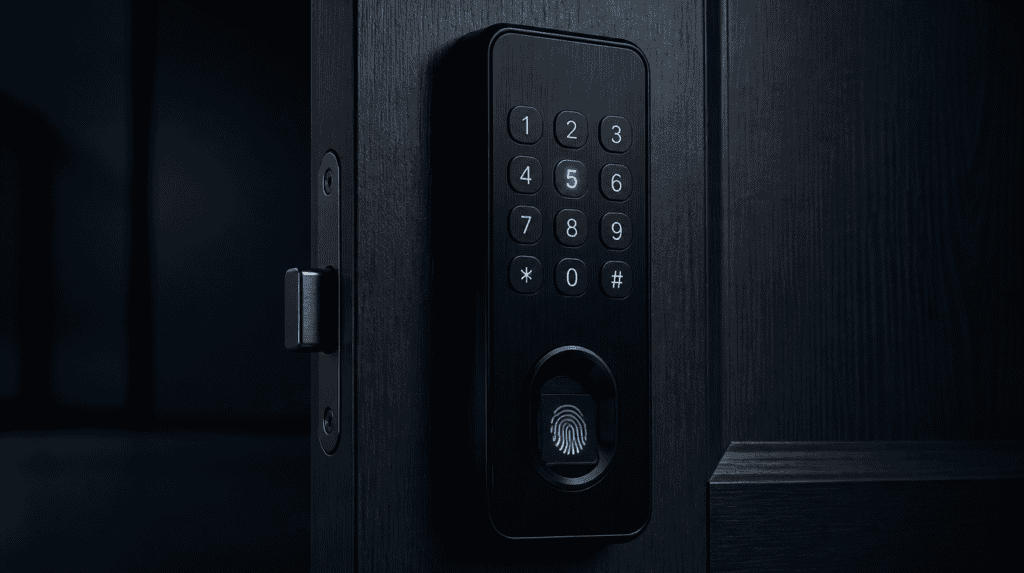
| Keypad / PIN | Tap a code on the lock | Guests and kids without phones |
| Fingerprint | Touch a built-in reader | Fast daily entry, no phone needed |
| App / Bluetooth | Unlock from your phone nearby | Sharing access and quick checks |
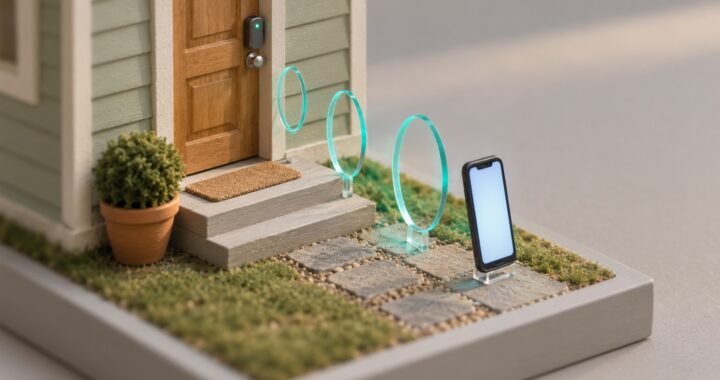
| Auto-Unlock | Geofencing senses your arrival | Hands full with groceries or a stroller |
| UWB Approach | Phone in pocket unlocks the door | The most hands-free experience |
💡 Layer your methods: Pick a lock with a keypad plus app control at minimum. That way a dead phone battery never locks you out.
Match Your Smart Home
A smart lock should fit the phones and speakers you already own. Buy the wrong ecosystem and you lose features you paid for. So check compatibility before you fall for a design.
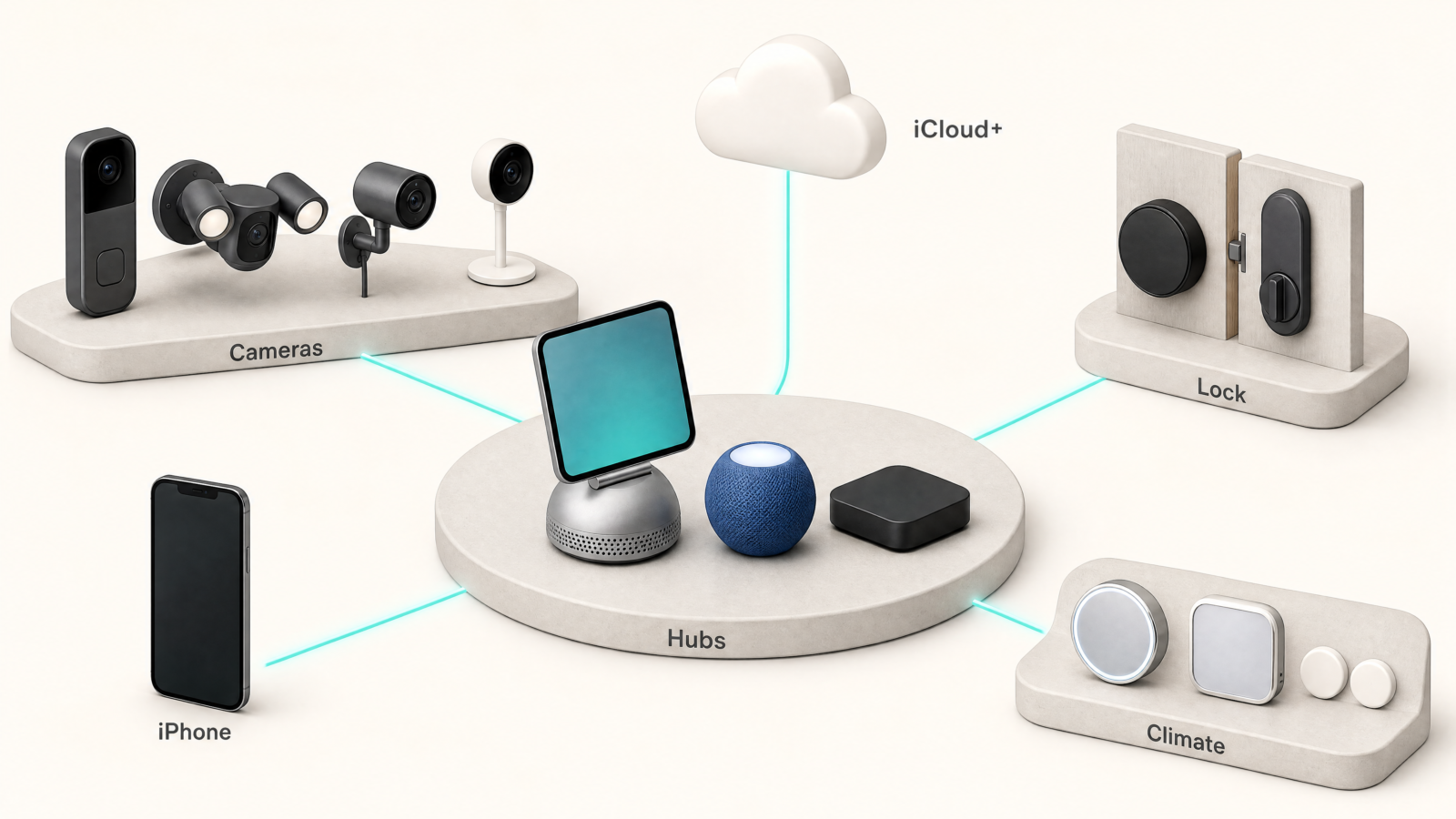
Apple users want Home Key, which turns an iPhone or Watch into the key. Android owners finally get the same trick through a new standard called Aliro. Most quality locks also answer to Alexa and Google Assistant for voice control. Matter support is the safest bet if you want a lock that outlives your current setup.
⚠️ Check the fine print: Some locks need an extra hub or Wi-Fi bridge for remote features. That adds cost and one more thing that can drop offline.
Retrofit or Full Replace

You have two paths here, and your living situation usually picks for you. Renters and anyone who loves their current key should look at retrofit locks first.
A retrofit lock like the August mounts on the inside of your door. Your deadbolt and outside hardware stay exactly the same. Landlords rarely object because nothing about the exterior changes. A full replacement swaps the whole deadbolt instead. You gain keypads and fingerprint readers, though installation asks for a screwdriver and a few extra minutes.
💡 Renting made simple: A retrofit lock pops off in minutes when you move. It comes with you to the next place, so the cost follows you.
Remote Access Reality
Remote control sounds simple, but how a lock connects changes what you can do from away. Bluetooth reaches only about thirty feet, so it handles nearby unlocking, not distant checks.

Built-in Wi-Fi lets you lock up from the office or buzz in a plumber across town. No separate hub is the cleanest setup, and the Schlage Encode Plus builds Wi-Fi right into the lock. Other models route through a bridge instead. That works well, yet it means another device plugged in and online.
⚠️ Battery drain trade-off: Always-on Wi-Fi eats batteries faster than Bluetooth. Expect to swap or recharge more often on a Wi-Fi lock.
Security and Backups
A smart lock is still a lock, so the basics come first. Look for a BHMA or ANSI Grade 2 rating, which most trusted brands carry. That grade covers real-world force, not just the app.
Backups keep a smart lock from becoming a smart problem. A physical key slot or a spot for a nine-volt jump battery saves you when power runs low. Auto-lock earns its keep too, since it closes up behind a forgetful teenager.
💡 Ask about backup power: Most locks warn you for weeks before batteries die. A rear key slot or jump-battery contacts is your safety net.
Watch the Ongoing Costs

The sticker price is rarely the whole story with connected locks. A few brands lock useful features, like activity history, behind a monthly plan. So it pays to read the terms before you buy.
Good news is that most core functions stay free. Unlocking, keypad codes, and guest access work with no subscription on every pick in this guide. Batteries are the main recurring cost, usually a set of AAs every six to twelve months.
⚠️ Subscription creep: Some ecosystems charge for camera clips or extended logs. Read what falls behind the paywall before you commit to a brand.
Top Picks for 2026
Below are five smart locks worth your money in 2026, one for each kind of buyer. Prices are in USD and shift often on Amazon, so treat them as a guide.
Works With Everything You Own

The Yale Assure Lock 2 is the one to pick when you want a lock that works with everything you own. It answers to Alexa, Google, Apple Home, and Matter, so it slots into whatever phones and speakers are already in the house.
Around $170 for the base model, it sits mid-pack on price while covering more setups than anything else on this list.
Why It Earns Its Place
- Fits almost any smart home, with swappable modules for Wi-Fi, Z-Wave, or Apple Home Key.
- Goes fully key-free, so a code or your phone replaces the deadbolt you fumble for.
- Locks itself behind you, covering the nights someone forgets to turn the bolt.
Keep in mind: the Wi-Fi and touchscreen versions cost more than the plain Bluetooth model. Price out the exact variant with the features you want, because the range is wide.
Walk Up And Walk In
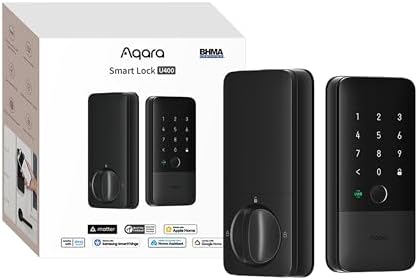
The Aqara U400 opens the door as you walk up, with your phone still in your pocket. It is the first lock here with ultra-wideband, so there is no tapping or reaching, just approach and go.
Around $270, it supports Apple Home Key now and Android through the new Aliro standard. It also runs on Matter over Thread, which helps it keep working as your smart home grows.
That future-proofing is the real draw. You are buying a lock built for where smart homes are heading, not just where they sit today.
What Changes When You Own One
- Unlocks as you approach, using ultra-wideband so the phone never leaves your pocket.
- Speaks to both phone camps, Apple Home Key today and Android through Aliro.
- Built on Matter over Thread, which keeps it compatible as standards move forward.
One trade-off: Thread runs best with a border router, so an Aqara hub helps the U400 reach its peak. Factor that in if you do not already own one.
Fingerprint Entry, Budget Price
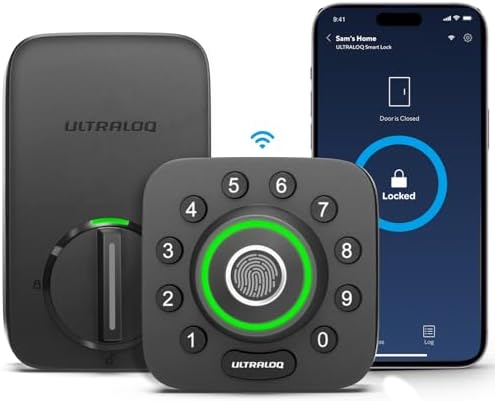
The Ultraloq U-Bolt Pro hands you six ways through the door for about $130. A fingerprint reader sits right on the keypad and opens in under a second, which feels premium at a budget price.
Families get the most out of it. Give the kids a code or a fingerprint, skip the copied keys, and everyone still gets in without a phone.
The low price is the headline here. You get biometrics that usually cost far more, without stretching the budget.
Where the Value Lives
- Six ways to get in, including a fingerprint reader that opens in under a second.
- Priced near $130, well below most locks that include biometrics.
- Keeps a physical key slot, so a flat battery never leaves you stuck outside.
Worth knowing: remote unlocking needs the add-on Wi-Fi bridge, which is a separate purchase. Budget for it if you want to control the lock while you are away.
Anywhere Access, No Hub

The Schlage Encode Plus builds Wi-Fi right into the lock, so you control it from anywhere with no separate hub. Lock up from the office or let a plumber in across town, all from the app.
It carries Schlage’s Grade 1 build, the toughest residential security rating, plus a built-in alarm that senses tampering. Apple Home Key is on board too, so an iPhone or Watch opens it with a tap.
Near $290, it is one of the pricier picks. What you pay for is the hardware strength and the no-hub convenience in a single unit.
Why This One
- Wi-Fi is built in, so you skip the extra hub and its clutter.
- Rated ANSI Grade 1, the strongest build class for home deadbolts.
- Apple Home Key ready, a tap of your iPhone or Watch opens the door.
Fair warning: the Encode Plus runs bulkier than slim designs, and always-on Wi-Fi drains batteries faster. Keep a spare set of AAs on hand through the year.
Nothing Outside Your Door Changes

The August Wi-Fi Smart Lock is the renter’s best friend, because nothing outside your door changes. It mounts on the inside of your existing deadbolt, so your key and the exterior hardware stay exactly as they were.
This bundle adds an external keypad, so guests punch in a code with no phone required. App control and auto-unlock come along too, and the whole thing pops off in minutes when you move.
At about $110, it is the cheapest pick here. The cost even follows you to the next place, since you take the lock with you.
Built For Renters
- Keeps your existing key and deadbolt, since it mounts on the inside only.
- Includes a keypad in this bundle, so guests enter with a code, no phone needed.
- Comes off in minutes, leaving the door untouched when your lease ends.
Good to know: the August fits standard single-cylinder deadbolts only, so check yours first. The interior unit is also chunky, which stands out more than a slim replacement lock.
Frequently Asked Questions
Do smart locks work when the power goes out?
Smart locks run on batteries, not your home’s power, so an outage will not lock you out. Most models last six to twelve months per battery set and warn you well before they die. Many also include a physical key or contact points for a jump battery as backup.
Can I install a smart lock myself?
Smart lock installation takes about fifteen to thirty minutes with a screwdriver in most cases. Retrofit models are the easiest since they attach to your existing deadbolt without removing it. Full replacements ask a bit more but still suit a first-time weekend project.
Are smart locks safe from hackers?
Quality smart locks use bank-level encryption and carry a BHMA or ANSI grade for the physical build. The bigger real-world risk is a weak door or frame, not a digital break-in. Choosing a Grade 2 lock from a known brand covers both fronts.
Will a smart lock work in very cold weather?
Most name-brand smart locks are rated well below freezing, often down to minus twenty Fahrenheit. Cold does drain batteries faster, so keep a fresh set on hand through winter. Fingerprint readers can slow slightly in extreme cold but still function.
Do I need a subscription to use a smart lock?
Core features like unlocking, keypad codes, and guest access are free on every pick in this guide. Some brands charge only for extras such as long activity history or camera clips. You can run a smart lock fully without ever paying a monthly fee.
Which smart lock is best for an Apple household?
Apple homes do best with a lock that supports Home Key, such as the Yale Assure Lock 2 or Aqara U400. Home Key stores a digital key in the Wallet app and unlocks with a tap or approach. Both also appear in the Apple Home app for scenes and automations.
The right smart lock is the one that matches how you live day to day, not the one with the longest spec list. Pick your unlocking method first, confirm it fits your phone and your door, and the rest falls into place. Whichever you choose, you gain a door that welcomes you home without a fumble for keys.