The Complete Doorbell Camera Guide: What to Buy, What to Skip (2026)

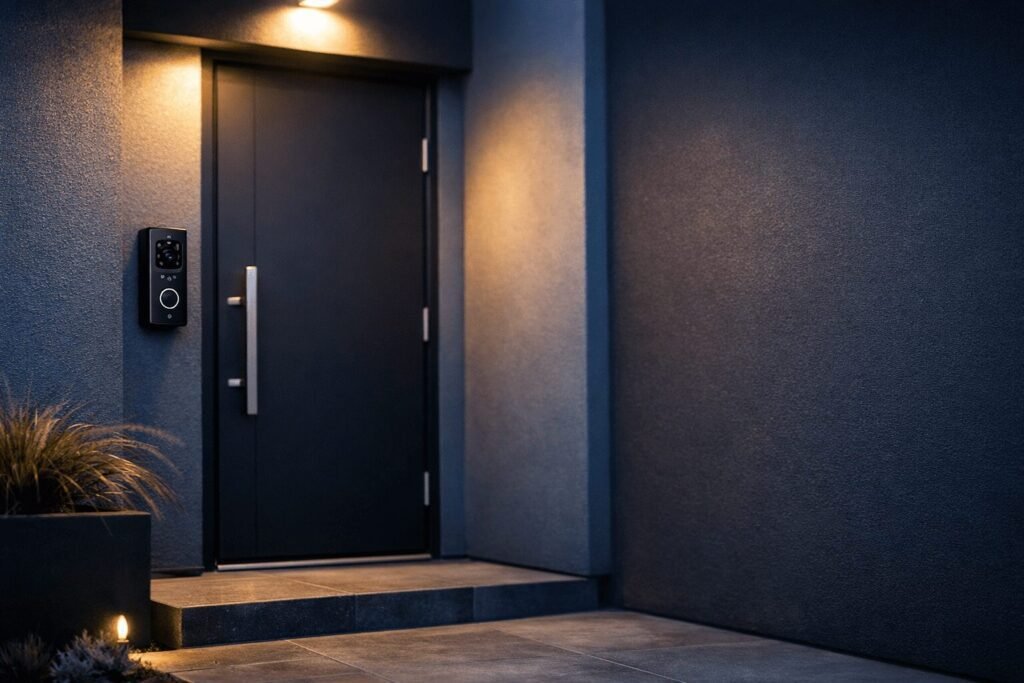
Your front door is the first line of defence for your home, and a doorbell camera is one of the smartest, most affordable upgrades you can make. Whether you’re a renter tired of missing packages or a homeowner who wants real peace of mind, the right video doorbell pays for itself fast. This guide breaks down everything you need to know, without the tech jargon.
Door Anxiety Is Real
You hear a knock and immediately wonder delivery driver? Neighbour? Stranger? That low-level uncertainty adds up. A doorbell camera flips the script: you see, hear, and speak to whoever’s at your door before you ever open it. From your couch. From work. From another country. That shift from reactive to in-control is what makes this one of the most popular smart home upgrades and one of the easiest to justify.
Some links in this post are affiliate links. As an Amazon Associate, SmartHomeLabs earns from qualifying purchases, at no extra cost to you. We only recommend products we’d genuinely use in our own home.
Wired, Battery, or Solar?
The first decision isn’t about brand, it’s about power. Each type fits a different living situation:
| Type | Best For | Trade-off |
|---|---|---|
| Wired | Homeowners with existing doorbell wiring | Requires installation; always-on power |
| Battery | Renters, no-drill setups, apartments | Needs recharging every 1–6 months |
| Solar | Sunny climates, low-maintenance households | Needs direct sun exposure to stay charged |
Quick tip for renters: Battery-powered doorbells mount with adhesive or a single screw. Most landlords are fine with them, and they come with you when you move.
Features That Actually Matter
Doorbell camera spec sheets are full of numbers. Here’s what actually changes your day-to-day experience:
Video Quality
1080p is the minimum you should accept in 2026. Models with 1536p or 2K give you enough detail to read a package label or identify a face clearly. HDR support is a bonus it prevents the image from blowing out in bright sunlight or going dark at dusk.
Field of View
A wider field of view (150°+) means you catch more of your porch, including packages left to the side. Some models offer a head-to-toe vertical view that’s especially useful for seeing items left on the ground right at your door.
Two-Way Audio
Standard on most models now, but quality varies significantly. Look for noise cancellation and clear speaker output, so you want to be understood, not muffled. Some premium models include “quick replies” so you can respond without speaking, like a doorbell voicemail.
Night Vision
Basic infrared night vision gives you a grainy black-and-white image. Colour night vision (using a spotlight or ambient light sensing) gives you a full-colour image, much more useful for identifying people or vehicles after dark. Worth the upgrade if your porch isn’t well lit.
Motion Detection & Zones
Good motion detection lets you draw a custom zone, so you’re not getting pinged every time a car drives past. AI-powered detection that distinguishes between people, vehicles, and animals cuts down on false alerts dramatically. This alone is worth paying more for.
Local vs. Cloud Storage
This is where the hidden costs live. Cloud storage plans can run $4–$15/month (USD) per device and are often required to access recorded footage. Local storage options, either a microSD card or a home hub device, let you store footage without a subscription. If avoiding monthly fees is a priority, this is the spec to prioritize.
Smart Home Compatibility
Check for Alexa, Google Home, or Apple HomeKit support before buying. If you already use a smart display or speaker, having your doorbell feed show up there automatically is genuinely useful, especially when your hands are full.
Compare the Top Picks
Once you know what to look for, the next step is picking a model that fits your entry and your budget. We compared the strongest options in a dedicated roundup.
Installation in Plain English
Wired Installation
If you already have a wired doorbell, replacement is usually a 20-minute job. You’ll turn off the breaker, disconnect two wires from your old doorbell, connect them to the new one, and mount it. Most kits include a wedge mount to angle the camera if your door is set back from the frame. The trickiest part is usually chime compatibility. Most modern video doorbells work with standard mechanical and digital chimes, but check the brand’s compatibility tool before buying.
Battery / No-Wire Installation
Genuinely simple. Most battery doorbells mount with two screws or adhesive tape. The whole process takes under 10 minutes. Download the app, connect to Wi-Fi, mount the camera, done. If you’re a renter, adhesive mounts leave no damage and peel off cleanly.
Wi-Fi Tips
Doorbell cameras are only as reliable as the Wi-Fi signal at your front door. If your router is far from the entrance, consider a Wi-Fi extender or mesh node near the front of your home. A weak signal causes delayed notifications and choppy live video, the two most frustrating issues users report.
The Subscription Question
This is the conversation most buying guides skip. Almost every major doorbell camera brand, Ring, Nest, Arlo, charges a monthly fee to access recorded footage. Without a plan, you typically only get live view and real-time alerts. That might be enough for you, but it’s worth knowing upfront.
Here’s a quick breakdown of current subscription costs:
| Brand | Plan Name | Cost (USD/month) | Video History |
|---|---|---|---|
| Ring | Ring Protect Basic | $5/device | 180 days |
| Google Nest | Nest Aware | $8 (all cams) | 30 days |
| Arlo | Arlo Secure | $13/device | 30 days |
| Reolink | None required | $0 | Local only |
| eufy | None required | $0 | Local only (60 days) |
The bottom line: If you hate recurring fees, the eufy E340 and Reolink V2 are your two strongest options. If you don’t mind $5–20/month for the convenience and ecosystem, Ring is a genuinely excellent product. Just go in knowing the subscription is part of the real cost.
Privacy Worth Knowing
A few things worth being aware of before you install:
Footage sharing with law enforcement. Ring has a history of sharing footage with police departments through its Neighbors app partnerships. If data privacy matters to you, look at brands with end-to-end encryption and no third-party sharing policies. Eufy and Reolink both keep footage local by default.
Neighbour considerations. Aim your camera at your own property. Most regional privacy laws (including across Canadian provinces) require that surveillance cameras not capture footage of public sidewalks or neighbouring properties beyond incidental framing. A wedge mount can help angle your camera down toward your own porch.
Account security. Enable two-factor authentication on whatever app you use. Doorbell cameras with weak account security have been compromised before. 2FA is a two-minute fix that makes a real difference.
Frequently Asked Questions
Do doorbell cameras work without Wi-Fi?
Not all smart video doorbells require a Wi-Fi connection to function. Without Wi-Fi, you won’t receive alerts, access live view, or save footage. A doorbell camera without Wi-Fi is essentially just a doorbell.
Can my landlord stop me from installing one?
Potentially yes, depending on your lease. If your lease prohibits modifications to the exterior of the unit, check before installing, even with a battery model. That said, many landlords are fine with no-drill adhesive mounts since they cause no damage. Ask first, install second.
What happens to my footage if the internet goes down?
Cloud-only cameras stop recording during an outage. Cameras with local storage (microSD) continue recording independently of your internet connection, another advantage of the no-subscription approach.
How cold is too cold for a doorbell camera?
Relevant for Canadian winters, most doorbell cameras are rated to operate down to -20°C (-4°F). Battery-powered models lose charge faster in extreme cold, so expect shorter battery life from November through February. Wired models aren’t affected by temperature the same way.
Do I need a separate chime?
Most video doorbells work with your existing mechanical or digital chime (wired models) or include an indoor chime in the box (battery models). Check the product specs. Ring sells its Chime accessory separately, while some competitors include it. Your phone will always receive an alert regardless.
The Bottom Line
The best doorbell camera is the one that matches your entry type, your storage preference, and how you feel about monthly fees. Get those three right and everything else is detail. When you are ready to compare specific models side by side, our roundup of the best doorbell cameras breaks down the top picks for every budget.
Keep Reading