What Do OLED, QLED and Mini-LED Actually Mean

Some links in this post are affiliate links. As an Amazon Associate, SmartHomeLabs earns from qualifying purchases, at no extra cost to you. We only recommend products we’d genuinely use in our own home.
Walk into any electronics section, and you’ll see a wall of screens all promising the best picture, the deepest blacks, and the brightest colours. The problem is the labels. OLED, QLED, Mini-LED, LCD all sound technical, but nobody explains what they actually mean for your living room. This guide breaks down every screen type so you can walk in knowing exactly what you’re looking at and what it’s worth.
How Screens Actually Work
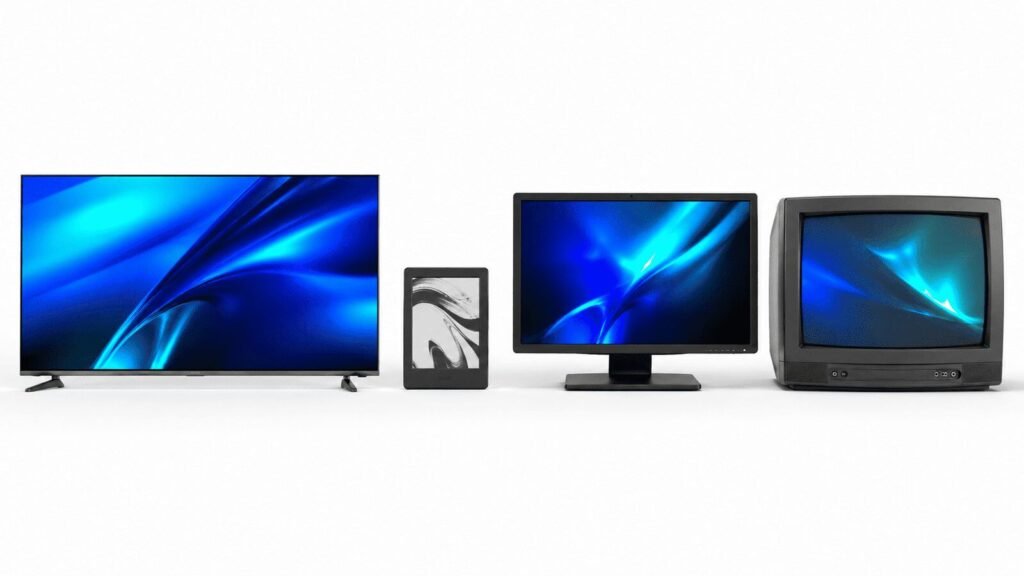
Every screen on this list does the same job: it puts light and colour in front of your eyes in a way your brain reads as a picture. The difference is in how each technology generates that light and how precisely it can control it.
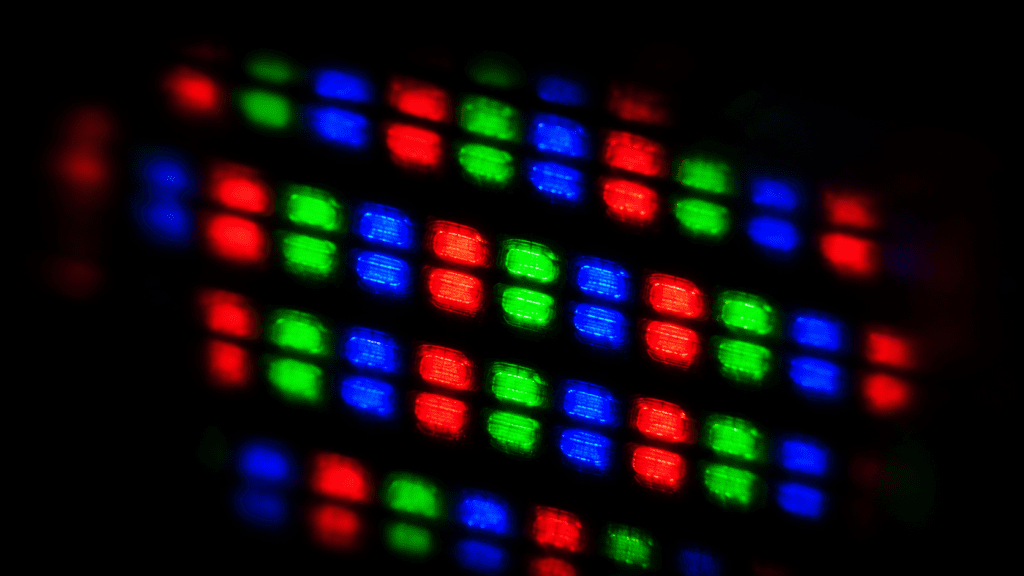
Two things determine picture quality more than anything else: contrast and colour. Contrast is the difference between the darkest black and the brightest white a screen can show at the same time. Colour is how accurately and how vividly the screen can reproduce shades. Every screen type on this list makes different trade-offs between those two things, plus brightness, power use, lifespan, and price.
One more term worth knowing before you read on: backlighting. Most TVs and monitors use a separate light source behind the panel to illuminate the pixels. How that backlight works, and how well the screen can block or shape it, is the single biggest factor in whether a screen looks great or just okay.
LCD and LED: The Standard
LCD stands for Liquid Crystal Display. It’s been the dominant screen technology for over two decades and is still what powers the majority of TVs, monitors, laptops, and phones sold today. The liquid crystals don’t produce light on their own. They act as shutters, blocking or allowing light from a backlight behind the panel to pass through.
LED just refers to the type of backlight used. Almost every LCD screen made in the last decade uses LED backlighting instead of the older fluorescent tubes, so “LED TV” and “LCD TV” are essentially the same thing in modern retail. The real difference is in how the LEDs are arranged.
Edge-Lit vs Full-Array
Edge-lit screens place LEDs around the border of the panel and shine light inward. They’re thin and cheap to make, which is why budget TVs use them. The trade-off is uneven lighting. You’ll often see brighter areas near the edges and a washed-out look in dark scenes.

Full-array screens spread LEDs across the entire back of the panel. Better models add local dimming, which groups those LEDs into zones and dims each zone independently. More zones means more precise contrast control. This is where mid-range LCD performance lives.
💡 Look for local dimming zones: When comparing LCD TVs, ask how many local dimming zones the panel has. A 100-zone screen will look noticeably better in dark scenes than a 12-zone one at the same price point.
| Type | Backlight | Best For | Watch-Out |
|---|---|---|---|
| Edge-Lit LCD | LEDs at edges | Budget TVs, bright rooms | Blooming, uneven brightness |
| Full-Array LCD | LEDs across full panel | Mid-range TVs and monitors | Fewer zones = less precision |
| Full-Array Local Dimming | Zone-controlled LEDs | Dark room viewing, movies | Halo effect around bright objects |
QLED: Better LCD, Not a New Technology
QLED is Samsung’s brand name for an LCD panel with a quantum dot enhancement layer added between the backlight and the screen. Quantum dots are tiny semiconductor particles that convert light into very precise wavelengths of colour. The result is a wider colour range and more accurate hues than standard LCDs.
What QLED is not: a fundamentally different screen type. It’s still an LCD panel with an LED backlight. The quantum dot layer makes the colours more vivid and the brightness higher. Samsung QLED TVs are among the brightest panels available, which makes them excellent for sunlit living rooms. But because it’s still LCD, blacks are still limited by how well the backlight can be dimmed, and you won’t get the absolute contrast of OLED.
Other brands use quantum dot technology too. LG calls theirs QNED, Sony calls it TRILUMINOS. The underlying principle is the same: better colour from a more refined backlight-to-panel pipeline.
⚠️ Don’t confuse QLED with OLED: The names look similar in store signage, but the technologies are completely different. QLED is an enhanced LCD. OLED is a self-emitting panel with no backlight at all. The contrast gap between them is significant.
Mini-LED: The Best of Both Worlds
Mini-LED takes the full-array local dimming concept and dramatically scales up the number of zones. Instead of a few hundred LEDs in groups, a Mini-LED panel might have thousands of tiny LEDs organized into hundreds or even thousands of individual dimming zones.

More zones means the screen can dim very small areas independently, which gets much closer to OLED-level black depth without any of the burn-in risk. Bright highlights stay bright. Dark areas go genuinely dark. The halo effect around bright objects in dark scenes is still there compared to OLED, but it’s far less noticeable than standard full-array LCD.
Mini-LED also tends to get much brighter than OLED, which matters if your living room gets strong daylight. Apple’s Pro Display XDR, Samsung’s Neo QLED range, and LG’s QNED Mini LED TVs all use this technology. For most buyers who want a serious upgrade without paying OLED prices or worrying about burn-in, Mini-LED is the practical sweet spot in 2026.
| Features | Standard LCD | Mini-LED | OLED |
|---|---|---|---|
| Black depth | Limited | Very good | Perfect |
| Peak brightness | Good | Excellent | Moderate |
| Burn-in risk | None | None | Low but real |
| Price range | Budget–mid | Mid–premium | Premium |
OLED: The Picture Quality Benchmark
OLED stands for Organic Light-Emitting Diode. Unlike every LCD-based panel on this list, OLED has no backlight at all. Each pixel generates its own light individually, which means a pixel showing black simply turns off completely. True black. No glow, no halo, no compromise.

The contrast ratio on an OLED panel is technically infinite. A fully lit pixel versus a completely off pixel is absolute brightness versus total darkness. In practice, this makes dark scenes in movies look dramatically better than on any LCD screen. Shadow detail is visible. Deep space scenes look like deep space. Your eyes don’t have to fight through a grey haze to see what’s happening.
The Burn-In Question
Burn-in is the main concern with OLED. Because the organic compounds in each pixel degrade slightly each time they emit light, pixels that display the same static content for thousands of hours can develop a faint permanent ghost image. News channel logos, sports score bars, and video game HUDs are the common culprits.
For most people watching a normal mix of content, burn-in is unlikely to be a real-world problem within the lifespan of the TV. It’s a genuine concern for anyone who leaves a static image on screen for hours at a time regularly: commercial signage, dedicated gaming setups with persistent overlays, or TVs used as permanent dashboards.
WOLED and QD-OLED
There are now two main OLED variants in consumer screens. LG uses WOLED (White OLED), which adds a white sub-pixel to each cluster for better brightness. Samsung and Sony use QD-OLED, which combines a blue OLED layer with quantum dots for wider colour coverage and higher peak brightness. Both are genuinely excellent. QD-OLED edges ahead on colour volume; WOLED is more mature and available in larger sizes at lower prices.
💡 OLED for dark rooms, Mini-LED for bright rooms: If you watch in a mostly dark or dimmed environment, OLED’s contrast advantage is immediately visible. If your living room gets strong direct sunlight, a bright Mini-LED panel will hold up better against glare.
E-Ink: Easy on the Eyes
E-Ink (also called e-paper or electronic paper) works completely differently from every other screen type on this list. Instead of pixels that emit light, E-Ink uses tiny capsules filled with positively charged white particles and negatively charged black particles. An electric charge moves them up or down to form text and images. Once a page is set, no power is needed to hold it. The screen only draws power when something changes.
The result is a reading experience that looks and feels remarkably like ink on paper. No backlight glare, no flicker, and dramatically lower eye strain during long reading sessions. Battery life on e-readers using E-Ink is measured in weeks rather than hours for exactly this reason.

What E-Ink cannot do: fast motion, video, or vivid colour. Early colour E-Ink panels exist but are slow to refresh and limited in colour saturation. E-Ink is the right choice for e-readers, smart home dashboards showing temperature or calendar data, and digital picture frames intended for still images. It is not a TV or monitor replacement by any stretch.
| Use Case | E-Ink Good? | Why |
|---|---|---|
| Reading books | Excellent | Paper-like, no eye strain |
| Smart home dashboard | Good | Always-on, low power draw |
| Digital photo frame | Good for stills | No power when image is static |
| Watching video | Not suitable | Refresh rate too slow for motion |
| Gaming or work monitor | Not suitable | No colour depth or response time |
Plasma: Good, but Gone
Plasma screens were the premium TV technology of the 2000s. Each pixel contained a small cell of gas, typically a xenon-neon mixture, that produced ultraviolet light when electrically charged. That UV light then activated phosphor coatings to produce red, green, and blue. Because each cell generated its own light, plasma had genuinely excellent contrast and motion handling for its era.
Panasonic, Pioneer, and LG all made plasma panels that are still remembered fondly by enthusiasts. The picture quality was particularly strong for sports and film, rivalling and in some ways surpassing what early LCDs could do.

Plasma manufacturing ended by 2014. The panels were heavy, power-hungry, generated significant heat, and couldn’t get bright enough to compete in sunlit showrooms with emerging LED-backlit LCDs. Burn-in was also a persistent concern. There is no reason to buy a plasma screen today. OLED has surpassed everything plasma did well, without the size and power drawbacks.
⚠️ Skip used plasma screens: You’ll occasionally find plasma TVs secondhand. Even a well-maintained unit is over a decade old, carries significant burn-in risk from previous use, and has no warranty path. The savings aren’t worth it.
CRT: The Original Screen
CRT stands for Cathode Ray Tube. These are the bulky, deep, heavy screens that dominated homes from the 1950s through the early 2000s. A CRT works by firing a beam of electrons at a phosphor-coated glass screen. The beam moves across the screen thousands of times per second, lighting up phosphor dots to form the image you see.

CRTs had zero input lag. The image was drawn directly with no processing delay, which is why competitive retro gamers still seek them out for older consoles. They also had naturally soft pixel edges that suited the visual style of older games and analogue video content.
For any modern use case, CRTs are impractical. They’re massive and heavy, cap out at resolutions well below HD, emit noticeable flicker at lower refresh rates, and consume far more power than any modern display. Production stopped in the mid-2000s. They belong in retro gaming setups where their specific characteristics are the point, not in any living room as a primary screen.
Which Screen Type Is Right for You
The right screen type depends less on specs and more on how and where you actually watch. Here’s the honest breakdown by situation.
| Your Situation | Best Pick | Why |
|---|---|---|
| Dark room, movies and TV | OLED | Infinite contrast, perfect blacks |
| Bright living room, mixed content | Mini-LED or QLED | Higher brightness, no burn-in worry |
| Budget TV under $400 | Full-array LCD with local dimming | Best contrast available at price |
| Reading and eye comfort | E-Ink | Paper-like, no glare or flicker |
| Competitive gaming (modern) | OLED (WOLED or QD-OLED) | Fastest response time, no ghosting |
| Smart home display / dashboard | E-Ink or small LCD | Low power, always-on legibility |
| Retro gaming on older consoles | CRT (specific use case) | Zero lag, native analogue output |
💡 Don’t overbuy for the room: A top-tier OLED in a room that gets six hours of direct afternoon sun won’t look as good as a mid-range Mini-LED in the same space. Match the screen technology to your actual viewing environment, not just to the spec sheet.
Frequently Asked Questions
Is OLED really worth the extra cost over Mini-LED?
For dark room movie watching, yes. The contrast difference is immediately visible, and the viewing experience is noticeably better. For a bright living room used mainly for daytime TV and sports, the gap narrows significantly, and a quality Mini-LED panel at a lower price often makes more practical sense. If you’re sitting on the fence, visit a showroom and ask the staff to demo both in a dimmed environment.
Will my OLED TV actually get burn-in?
For most households watching a varied mix of streaming content, burn-in is unlikely within a normal TV lifespan of seven to ten years. The real risk is for specific use cases: leaving a news channel running all day with a static logo, using the TV as a permanent gaming monitor with a fixed HUD, or displaying a dashboard image for extended periods. Modern OLEDs also have pixel-shifting and logo-detection features that mitigate the risk considerably.
What’s the difference between QLED and Neo QLED?
Both use quantum dots for colour enhancement. Neo QLED is Samsung’s name for their Mini-LED-backlit QLED panels, so Neo QLED combines quantum dot colour with a Mini-LED backlight for better local dimming and contrast. Standard QLED uses a conventional LED backlight. Neo QLED is the higher-tier product and costs more, but the performance difference in contrast and dark scene handling is real.
Can I use an E-Ink screen as a secondary monitor?
Technically yes. E-Ink monitors exist and are sold for document work and reading. They’re genuinely useful for tasks like reading long articles, reviewing PDFs, or writing without eye strain. You wouldn’t want to use one for your primary display if you’re doing anything that involves colour accuracy, video, or fast-moving content. For a dedicated reading monitor paired with a normal screen, they’re a solid niche product.
How long do these screens actually last?
LCD and Mini-LED panels typically last 60,000 to 100,000 hours of use before the backlight dims noticeably, which is far beyond the useful life of most TVs. OLED panels are rated similarly, though individual pixel degradation over time is what drives the burn-in concern rather than total failure. E-Ink displays have extremely long lifespans because they only consume power when refreshing. CRT and plasma screens, if you still have one running, are using phosphor coatings that degrade with extended use and are effectively irreplaceable.
Does screen type matter for eye strain?
Yes, though it’s more about how you use the screen than which type it is. E-Ink is the gentlest on the eyes for extended reading because it reflects ambient light rather than emitting it directly. For TVs and monitors, OLED screens eliminate backlight flicker entirely, which some people find reduces eye fatigue compared to LCD. Brightness settings and blue light filters make a bigger practical difference than screen type alone for most people.
Screen labels exist to sell TVs, not to help you understand them. Now that you know what’s actually behind the jargon, you can walk into any store or scroll any product page and cut straight to what matters: the technology, the trade-offs, and whether it fits your room. The right screen is the one that looks great in the space you actually have.